

Google Business Profile: The Complete Guide to Managing Your Business and Getting More Customers

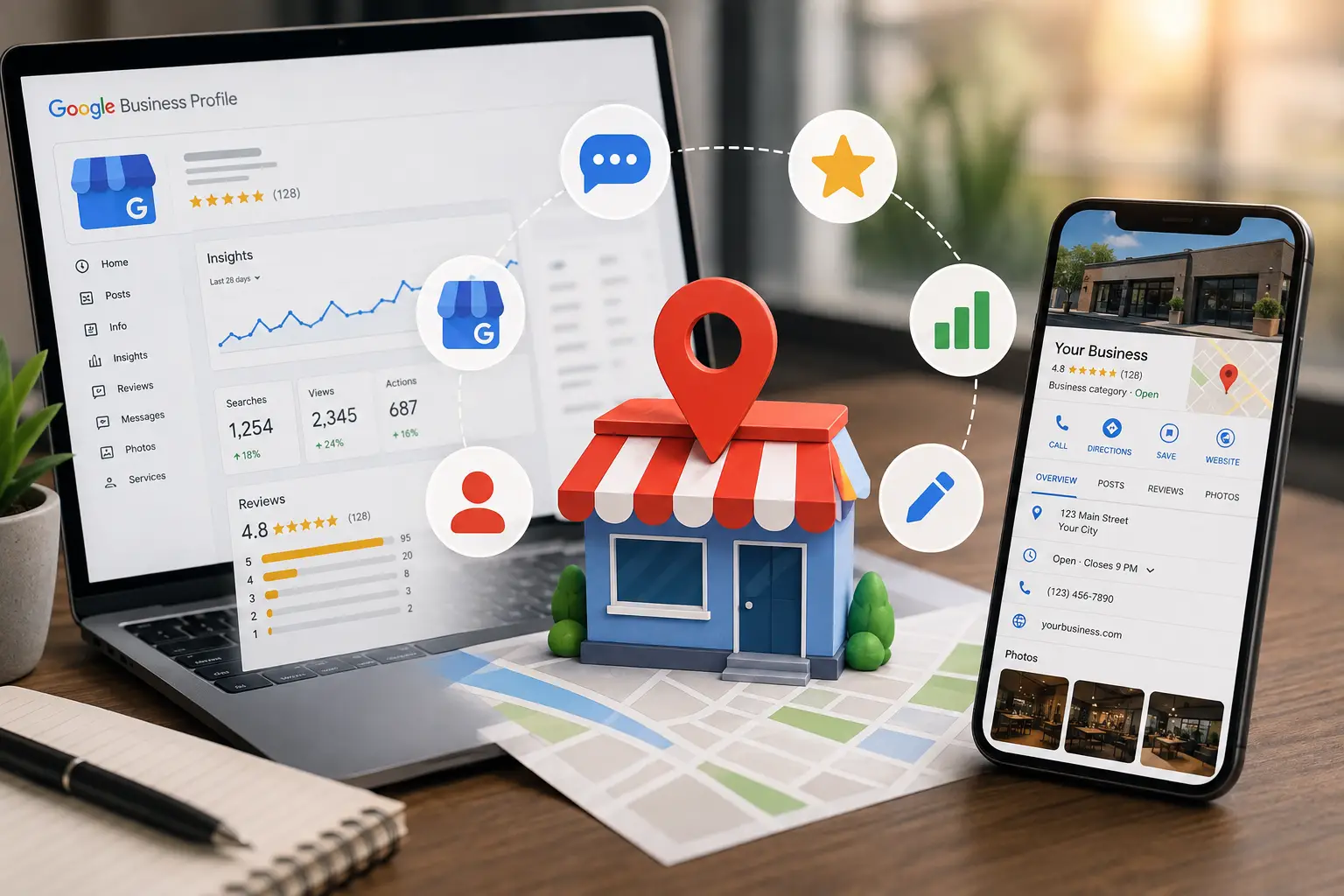
If you’re wondering, “What is Google Business Profile?”, the simple answer is that it’s a free business listing provided by Google that allows your business to appear in Google Search and Google Maps when customers search for the products or services you offer. Your profile includes essential business information such as your business name, address, phone number, business hours, website, photos, reviews, services, products, posts, and many other features that help customers decide whether to contact or visit your business.
A Google Business Profile is much more than a simple online listing. It is a complete platform for managing your local online presence, engaging with customers, analyzing customer behavior, and increasing your visibility when people search for your services at the right moment. Whether you own a restaurant, clinic, retail store, service company, or engineering office, professionally managing your Google Business Profile can become one of your most valuable sources of new customers without spending large budgets on advertising.
Why Is Google Business Profile Important for Every Business?
Years ago, having a website alone was enough for customers to find your business.
Today, most users begin their journey directly on Google, especially when searching for local services.
When someone searches for:
- Restaurant near me
- Dental clinic
- Website design company
Google usually displays nearby businesses first, along with their basic information, customer reviews, and business hours.
This is why a Google Business Profile has become an essential part of every Local SEO strategy. It helps you reach customers exactly when they’re ready to contact your business or make a purchase.
Main Benefits of Google Business Profile
A well-managed profile can help you:
- Appear in local search results.
- Show your business on Google Maps.
- Receive direct phone calls from customers.
- Increase traffic to your website.
- Help customers easily find your location.
- Build trust through customer reviews.
- Display your products and services.
- Publish updates and promotions.
- Analyze your business performance using real data.
These benefits make Google Business Profile one of the most powerful free local marketing tools available today.
find out: SEO Services
How Does Google Business Profile Help You Get More Customers?
Many business owners think that Google Business Profile is only for improving search rankings.
In reality, it is a powerful conversion tool that helps turn people searching on Google into real customers.
When your business appears in Google Search, potential customers can immediately:
- Read your business description.
- View your photos.
- Check your business hours.
- Read customer reviews.
- Call your business.
- Get directions.
- Visit your website.
- Send you a message if messaging is enabled.
Every one of these actions removes friction from the buying process, making it easier for customers to choose your business instead of a competitor.
What Does a Google Business Profile Include?
A business profile contains several important sections, and each one contributes to improving the customer experience and increasing conversions.
| Section | Purpose |
|---|---|
| Business Information | Displays your name, address, phone number, and business hours. |
| Services | Explains the services your business offers. |
| Products | Displays products with photos and pricing. |
| Photos | Builds trust and showcases your business. |
| Posts | Shares news, promotions, and updates. |
| Reviews | Displays customer feedback and allows you to respond. |
| Messages | Enables direct communication with customers. |
| Questions & Answers | Answers frequently asked questions. |
| Insights | Analyzes customer behavior and profile performance. |
Every section can influence a customer’s decision, so it’s important to optimize the entire profile instead of focusing on only one area.
What’s the Difference Between Creating and Managing a Google Business Profile?
Creating your business profile is only the beginning.
The real success starts after your profile has been verified and published.
Think of it like opening a new store.
Opening the doors doesn’t automatically generate sales.
You need ongoing management, regular updates, customer engagement, and continuous improvements.
The same applies to Google Business Profile.
The more frequently you update your profile with accurate information, new photos, fresh posts, and current business details, the more likely Google is to show your business to potential customers.
How Does Managing Your Profile Influence Customer Decisions?
Before customers visit your business or contact you, they look for trust signals.
Some of the strongest trust signals include:
- Recent photos
- Positive customer reviews
- Professional responses to reviews
- Accurate business hours
- Clear service descriptions
- Correct contact information
- Regular business updates
If a customer finds an incomplete profile—or notices that it hasn’t been updated in years—they may simply choose a competitor whose business appears more active and reliable.
Keep Your Business Information Accurate
Your business information is the foundation of a successful Google Business Profile.
This section contains the details both Google and your customers rely on.
Make sure you regularly review and update:
- Business name
- Primary category
- Additional categories
- Phone number
- Website
- Business address
- Business hours
- Booking link (if available)
- Service areas
Even small changes—such as updating your holiday hours or changing your phone number—can prevent you from losing valuable customers.
How to Manage Your Services
The Services section is one of the most overlooked parts of a Google Business Profile, even though it helps both Google and your customers understand exactly what your business offers.
For example, if you own a digital marketing agency, don’t simply write:
Marketing Services
Instead, list each service separately, such as:
- Search Engine Optimization (SEO)
- Google Ads Management
- Social Media Management
- Website Design
- Content Writing
- Google Maps Optimization
If you own a dental clinic, you could list:
- Dental Implants
- Orthodontics
- Teeth Cleaning
- Teeth Whitening
- Root Canal Treatment
Every service you add gives Google a better understanding of your business while increasing your chances of appearing when people search for those specific services.
How Services Help You Get More Customers
When customers see the exact service they’re looking for clearly listed in your Google Business Profile, they are much more likely to contact your business.
A well-organized Services section helps to:
- Reduce repetitive customer questions.
- Improve the customer experience.
- Increase profile clicks.
- Generate more direct phone calls.
- Improve your visibility in searches related to specific services.
Examples of Services by Business Type
| Business Type | Example Services |
|---|---|
| Restaurant | Food delivery, table reservations, catering, takeaway |
| Medical Clinic | Consultations, X-rays, laboratory tests, follow-up appointments |
| Software Company | Website development, mobile app development, hosting, maintenance |
| Online Store | Shipping, returns, gift wrapping, customer support |
| Law Firm | Legal consultation, company formation, civil cases, debt collection |
The more organized and detailed your services are, the more valuable your business profile becomes for both customers and Google.
find out: the meaning of generative engine optimization
How to Manage Products in Google Business Profile
If you sell physical products, the Products section is one of the most valuable areas of your Google Business Profile.
Unfortunately, many businesses leave this section empty—even though it can significantly increase website visits and product sales.
When customers can browse your products directly from your business profile, they’re more likely to decide to buy before even visiting your website.
Each product should include:
- A clear product name.
- A professional product image.
- A short description.
- A fixed price (when applicable).
- A link to the product page on your website.
Every product you add provides Google with additional information about your business while increasing the chances of your products appearing in relevant searches.
Why Does the Products Section Increase Sales?
Customers want information quickly.
When they can see your products directly inside your Google Business Profile, they need fewer steps before making a purchasing decision.
The Products section helps you:
- Increase website clicks.
- Showcase your best-selling products.
- Introduce new products.
- Improve the customer experience.
- Reduce repetitive questions about prices and product availability.
If you operate an online store, regularly update your products and remove items that are no longer available.
Product Examples by Business Type
| Business Type | Example Products |
|---|---|
| Electronics Store | Smartphones, laptops, headphones, smartwatches |
| Clothing Store | Shirts, dresses, shoes, handbags |
| Optical Store | Prescription glasses, sunglasses, contact lenses |
| Bookstore | Books, stationery, notebooks |
| Gift Shop | Perfumes, watches, accessories, seasonal gifts |
Even service-based businesses can use the Products section to display service packages or promotional offers.
How to Use Photos Effectively
Photos are much more than decoration.
They’re one of the strongest factors influencing customer decisions.
When customers compare two similar businesses, they often choose the one with professional, recent photos.
Several studies have shown that business profiles with more photos generally receive higher engagement than profiles that rarely upload images.
Photos You Should Upload
Include photos of:
- Your storefront.
- Business entrance.
- Staff members.
- Products.
- Services.
- Work environment.
- Customers (with their permission).
- Company logo.
- Company vehicles if they’re part of your services.
Characteristics of High-Quality Business Photos
Your photos should be:
- Clear and high-resolution.
- Recent.
- Authentic.
- Well-lit.
- Free from excessive filters.
- A true representation of your business.
Avoid:
- Stock images downloaded from the internet.
- Duplicate photos.
- Images with large promotional text.
- Photos unrelated to your business.
Authentic photos build trust and create a stronger first impression for potential customers.
Is Video Important in Google Business Profile?
Yes.
Videos have become an increasingly valuable part of a professional Google Business Profile.
You can upload short videos showing:
- Your business location.
- How your services are delivered.
- Products.
- Your team.
- Order preparation.
- Before-and-after service results.
Videos help customers feel more familiar with your business before they visit or contact you, increasing confidence and trust.
How to Use Posts to Get More Customers
Business posts are one of the most underused features inside Google Business Profile.
They provide an excellent opportunity to communicate regularly with your customers.
Use posts to promote:
- Special offers.
- Discounts.
- New branch openings.
- New products.
- New services.
- Seasonal events.
- Helpful tips related to your industry.
Every new post keeps your business profile active and shows both Google and your customers that your business is operating consistently.
What Makes a Good Google Business Post?
A high-quality business post should include:
- A clear headline.
- An attractive image.
- A short description.
- A clear call to action.
- A relevant link (when appropriate).
Example
20% Off All Teeth Cleaning Services Until the End of the Month. Book Your Appointment Today.
Or:
The Latest Smartphone Models Have Arrived. Visit Our Website to Explore the Specifications and Prices.
How Often Should You Publish New Posts?
Consistency is more important than volume.
For most businesses, publishing:
- Once per week
- Or twice per week
is a healthy posting schedule.
Businesses that frequently run promotions—such as restaurants and online stores—may benefit from posting more often.
The goal is to stay active throughout the year instead of publishing many posts in one week and then disappearing for months.
How to Manage Messages in Google Business Profile
If messaging is enabled, customers can send you questions directly through your Google Business Profile.
This is where fast response times become extremely important.
The quicker and more professionally you reply, the more likely you are to convert an inquiry into a customer.
Make sure you:
- Reply during business hours.
- Use a professional and friendly tone.
- Answer every customer question clearly.
- Guide customers toward the next step.
For example, you can:
- Send a product link.
- Schedule an appointment.
- Share your contact number.
- Provide a quotation.
Fast communication improves customer confidence and helps increase sales opportunities.
How Messages Help Increase Customers
Messages reduce the time customers spend searching for information.
They also help to:
- Build trust.
- Increase sales opportunities.
- Reduce customer drop-off.
- Improve the overall customer experience.
For this reason, messaging should be treated as an important part of your customer service—not simply another communication channel.
find out: website design services
How to Use the Questions & Answers Section
The Questions & Answers section is one of the most useful features inside Google Business Profile.
Any Google user can ask questions, and business owners can respond.
However, don’t wait for customers to ask questions.
Instead, proactively add the most common questions and answer them yourself.
For example:
Do you have customer parking?
Yes. We provide free parking in front of our business.
Do you accept credit cards?
Yes. We accept all major credit cards and electronic payment methods.
Do you offer delivery?
Yes. We provide delivery throughout the city.
Adding these questions in advance saves customers time and reduces repetitive phone calls.
Why Are Questions & Answers Important?
A well-managed Questions & Answers section helps to:
- Improve the customer experience.
- Increase trust.
- Answer common questions before customers contact you.
- Improve conversion rates.
- Give Google more information about your business.
Every clear and direct answer can help potential customers make faster purchasing decisions.
How to Manage Customer Reviews Professionally
Customer reviews are among the strongest factors influencing purchasing decisions.
When customers compare multiple businesses, they often choose the one with better reviews—even if it’s slightly farther away or more expensive.
For this reason, reviews should never be viewed as simple ratings.
They’re one of your most powerful trust-building tools.
Encourage Happy Customers to Leave Reviews
After completing a service or delivering a product, invite satisfied customers to leave a review.
You can share your review link through:
- SMS
- QR codes inside your business
- Your website
Every new review increases your credibility and builds confidence with future customers.
How to Respond to Reviews
Responding to reviews is just as important as receiving them.
When You Receive a Positive Review
Thank the customer whenever possible by name.
For example:
“Thank you for your wonderful review. We’re delighted that you enjoyed your experience and look forward to serving you again.”
When You Receive a Negative Review
Never argue with the customer or respond emotionally.
Instead:
- Thank them for their feedback.
- Apologize if appropriate.
- Explain that you’re working to resolve the issue.
- Invite them to contact you directly if necessary.
Example:
“Thank you for sharing your experience. We’re sorry the service didn’t meet your expectations. Please contact us so we can resolve the issue and improve your experience.”
Professional responses leave a positive impression not only on the reviewer but also on everyone else who reads your reviews later.
Can You Remove Negative Reviews?
No.
You cannot remove a review simply because it’s negative.
However, you can report a review if it:
- Contains abusive language.
- Is fake.
- Refers to a different business.
- Violates Google’s review policies.
If Google approves your report, the review may be removed.
If the review is genuine, the best approach is to respond professionally and resolve the customer’s concern instead of trying to delete it.
How to Use Business Insights
Google Business Profile provides detailed insights that help you understand how customers interact with your business.
You can track:
- Profile views.
- Website clicks.
- Phone calls.
- Direction requests.
- Most viewed photos.
- Search terms customers used to find your business.
These insights allow you to make informed business decisions based on real customer behavior rather than assumptions.
How Insights Help Improve Performance
For example:
If your profile receives many views but very few phone calls, the issue could be related to:
- Your business description.
- Photos.
- Customer reviews.
- Services.
- Contact information.
If you’re receiving many direction requests, it means customers are interested in visiting your location.
In that case, improving your address accuracy and adding better exterior photos can further improve the customer experience.
How to Review Your Business Performance Every Month
Set aside time once every month to review your business profile.
Ask yourself:
- Have I received new reviews?
- Have I uploaded new photos?
- Have I updated my services?
- Have I published new posts?
- Have my business hours changed?
- Have I responded to every customer message?
- Are there any reviews waiting for a reply?
This monthly review keeps your profile active and helps maintain strong local search performance.
Common Google Business Profile Mistakes
Many businesses create a Google Business Profile but fail to get the expected results because of avoidable mistakes.
Here are the most common issues.
Leaving the Profile Incomplete
A profile with missing information appears less trustworthy to both customers and Google.
Always complete every important section, including:
- Business description
- Services
- Products
- Photos
- Business hours
- Website
- Phone number
Complete profiles generally perform better in local search results.
Never Updating the Profile
Some businesses create their profile once and never update it again.
Instead, regularly:
- Upload new photos.
- Publish business posts.
- Update business hours.
- Add new products.
- Add new services.
Keeping your profile active shows that your business is operating and engaged with customers.
Ignoring Customer Reviews
Not responding to reviews can leave a poor impression.
Whether reviews are positive or negative, professional responses demonstrate that your business values customer feedback and cares about customer satisfaction.
Using Low-Quality Photos
Poor-quality images reduce customer confidence.
Instead, upload:
- High-resolution photos.
- Well-lit images.
- Authentic photos of your business.
- Recent images.
Professional photos make your business look more trustworthy and inviting.
Providing Incorrect Information
Incorrect business information creates confusion and can cost you potential customers.
Always verify:
- Phone number
- Address
- Website
- Business hours
- Service areas
before publishing any updates.
How Google Business Profile Supports Local SEO
A well-managed Google Business Profile is one of the strongest components of a successful Local SEO strategy.
Google uses your profile to better understand:
- Your business location.
- Your services.
- Your products.
- Your business category.
- Customer engagement.
The stronger and more complete your profile is, the greater your chances of appearing when nearby customers search for businesses like yours.
Tips to Improve Your Local Ranking
To improve your visibility on Google Search and Google Maps:
- Keep your profile complete.
- Upload new photos regularly.
- Publish business updates consistently.
- Respond to every customer review.
- Add all relevant services.
- Add products where appropriate.
- Keep your business hours accurate.
- Ensure your website information matches your business profile.
- Encourage satisfied customers to leave genuine reviews.
Small improvements made consistently often produce better long-term results than large one-time updates.
How Be One Helps Businesses Manage Google Business Profiles
Managing a Google Business Profile requires much more than simply creating an account.
At Be One, we help businesses maximize the value of their profiles through professional optimization and ongoing management.
Our services include:
- Creating Google Business Profiles.
- Optimizing business information.
- Improving Local SEO.
- Managing customer reviews.
- Publishing regular posts.
- Optimizing services and products.
- Uploading professional photos.
- Solving suspended or rejected profiles.
- Performance monitoring and reporting.
Our goal is to help businesses attract more local customers while building long-term visibility in Google Search and Google Maps.
Frequently Asked Questions
Is Google Business Profile Really Free?
Yes.
Creating and managing a Google Business Profile is completely free.
Google does not charge businesses to create or maintain their business profiles.
How Often Should I Update My Profile?
You should update your profile whenever your business information changes.
Even if nothing changes, it’s a good idea to:
- Upload new photos regularly.
- Publish business posts.
- Review customer feedback.
Consistent activity helps keep your profile fresh and engaging.
Do Customer Reviews Affect Rankings?
Yes.
Customer reviews are one of the most important local ranking factors.
Businesses with more genuine reviews and professional responses often achieve stronger visibility in local search results.
Can I Manage Multiple Business Locations?
Yes.
A single Google account can manage multiple business locations.
Each branch should have its own accurate business information and Google Business Profile.
Do I Need a Website?
While a website is not required to create a Google Business Profile, having one strengthens your online presence and supports your Local SEO strategy.
A professional website also gives customers more information about your products and services.
Why Isn’t My Business Getting More Calls?
Possible reasons include:
- An incomplete profile.
- Weak customer reviews.
- Poor-quality photos.
- Missing services.
- Incorrect contact information.
- Limited Local SEO optimization.
Review your profile regularly and continue improving it over time.
contact now: best local seo company
A Google Business Profile is no longer just an optional business listing.
It has become one of the most effective tools for improving your local visibility, building customer trust, and generating new business opportunities.
By keeping your profile complete, publishing regular updates, responding to customer reviews, and optimizing every section, you increase your chances of appearing in Google Search and Google Maps when customers are actively looking for your services.
be one agency, is the best SEO Agency that help businesses create, optimize, and manage Google Business Profiles that support long-term growth through stronger Local SEO, better customer engagement, and increased online visibility.


