

Google Maps Updates: How to Edit Your Business Information and Get Changes Approved Faster

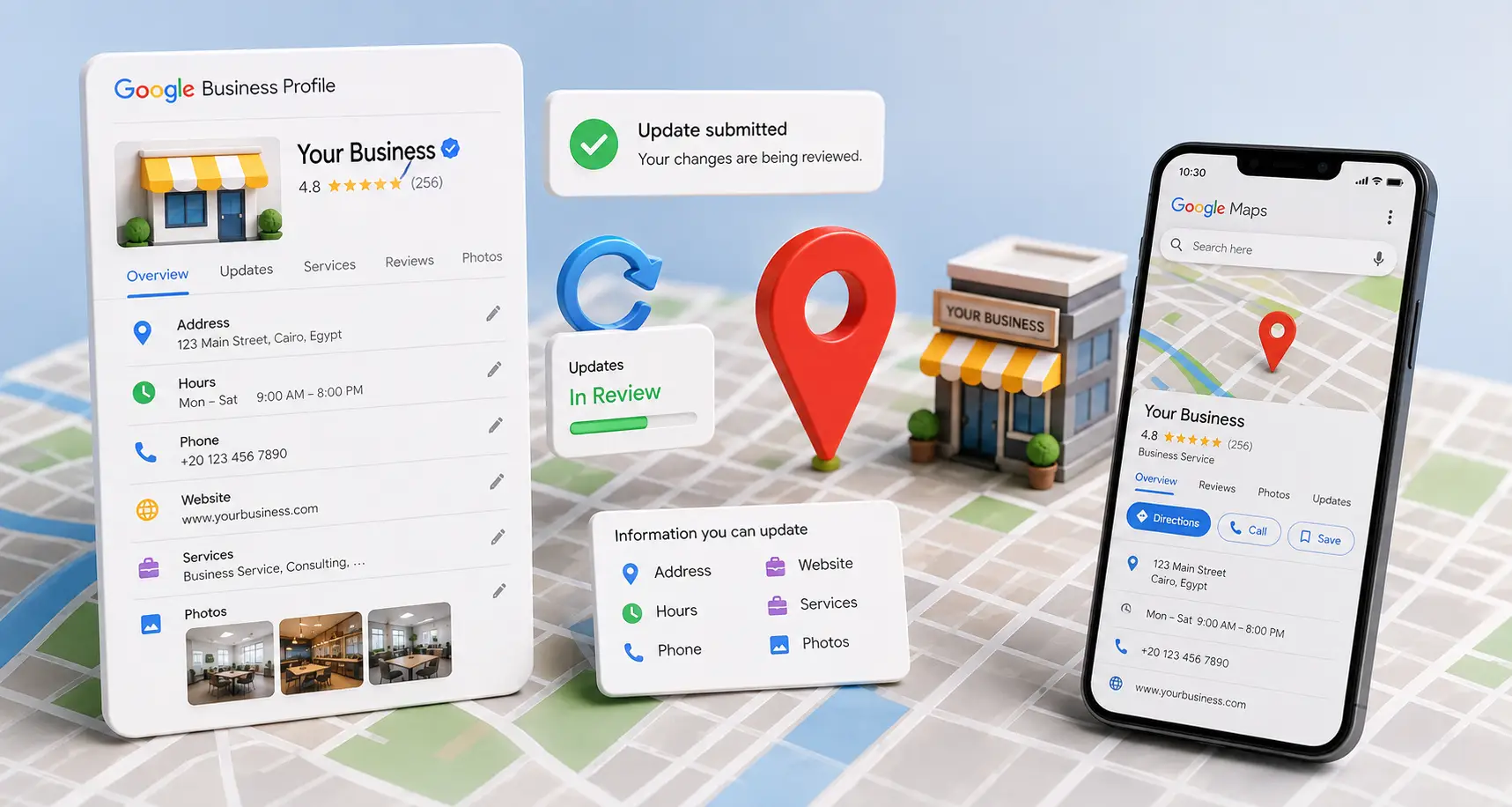
If you’re wondering how to update your business information on Google Maps, the simple answer is that you can edit your business details through your Google Business Profile and submit the changes to Google for review when necessary. You can update your business address, phone number, business hours, website, services, photos, description, and other important information that helps customers find and contact your business. Some updates appear within minutes, while others require Google’s review before they become visible.
Regularly updating your Google Maps listing is one of the most effective ways to maintain customer trust, improve the user experience, and prevent customers from seeing outdated information such as an old address or inactive phone number.
Why Should You Regularly Update Your Business Information?
Business information changes over time.
For example, you may:
- Move to a new business location.
- Change your phone number.
- Update your business hours.
- Add new services.
- Remove discontinued services.
- Launch a new website.
- Rebrand your business.
If this information isn’t updated on Google Maps, customers may receive incorrect information, reducing trust in your business and potentially causing you to lose valuable sales opportunities.
What Business Information Can You Update?
Google Business Profile allows you to edit nearly every part of your business listing.
The most common updates include:
- Business name.
- Address.
- Phone number.
- Website.
- Business hours.
- Holiday hours.
- Primary category.
- Additional categories.
- Business description.
- Services.
- Products.
- Photos.
- Videos.
- Logo.
- Service areas.
- Customer contact options.
The more accurate and up to date your information is, the more confidence both Google and your customers will have in your business.
When Should You Update Google Maps?
Don’t wait until customers complain about incorrect information.
Update your Google Business Profile whenever you:
- Move to a new address.
- Change your phone number.
- Update your email address.
- Modify your business hours.
- Add a new service.
- Discontinue an existing service.
- Launch a new website.
- Officially change your business name.
- Update your company logo or business photos.
Every update ensures customers always receive your most current business information.
Do Updates Affect Your Business Visibility?
In most situations, accurate updates do not negatively affect your business visibility.
However, changes involving your:
- Business name.
- Address.
- Primary business category.
may require Google’s review before becoming visible.
For this reason, it’s important to make updates carefully and ensure that all information is accurate and consistent with your real business.
How to Update Your Business Information
Updating your business profile usually involves these steps:
- Sign in to the Google account associated with your business.
- Open your Google Business Profile.
- Select the business you want to edit.
- Click Edit Profile.
- Update the necessary information.
- Save your changes and submit them for review if required.
Google will then begin processing your changes.
The approval time depends on the type of information you’ve edited.
find out: best digital marketing companies Egypt
Types of Information You Can Update
Updating Your Business Name
You can edit your business name if:
- Your business was officially renamed.
- The current name contains an error.
- Your company has undergone a legal name change.
Your business name should always match the name used:
- On your storefront.
- On official business documents.
- On your website.
Adding marketing phrases or keywords to your business name may cause Google to reject your update or even suspend your profile.
Updating Your Business Address
Changing your address is one of the most sensitive updates.
If your business relocates, make sure to:
- Enter the new address accurately.
- Verify your map pin location.
- Update the address on your website and other online platforms.
In some situations, Google may require additional review or even reverification.
Updating Your Phone Number
If your phone number changes, update it immediately so customers can still contact your business.
Your phone number should:
- Be active.
- Belong to your business.
- Match the phone number displayed on your website.
Updating Your Website
If you’ve launched a new website or changed your website URL, update it inside your Google Business Profile.
This helps customers reach the correct website and improves consistency between your business profile and your online presence.
Updating Your Business Hours
Business hours are among the most frequently viewed pieces of information.
Update them whenever:
- Your regular hours change.
- During Ramadan.
- On public holidays.
- During seasonal schedules.
- For special holiday periods.
Accurate business hours reduce customer complaints and improve trust in your business.
Updating Your Services
Whenever you introduce a new service, add it to your business profile.
Likewise, remove services that are no longer available so customers don’t expect offerings you no longer provide.
Updating Your Photos
Recent photos help customers recognize your business while making your profile look more professional.
You can upload:
- Exterior photos.
- Interior photos.
- Product photos.
- Service photos.
- Team photos.
Always use high-quality, up-to-date images that accurately represent your business.
Are All Updates Approved Immediately?
The answer is no.
Some updates appear quickly, while others require Google’s review before they become visible.
Approval depends largely on the type of information being changed and how significantly it affects your business identity.
Instant Updates vs. Updates That Require Review
Not every Google Maps update follows the same approval process.
Some information is updated almost immediately, while other changes require manual review because they directly affect your business identity or location.
For example, uploading a new photo is very different from changing your business name or address.
Estimated Review Times
| Update Type | Review Required? | Estimated Time |
|---|---|---|
| Business hours | Usually No | Minutes to 24 hours |
| Phone number | Sometimes | A few hours to 2 days |
| Website | Sometimes | Hours to 2 days |
| Photos | Sometimes | Hours to several days |
| Services | Sometimes | 1–3 days |
| Products | Sometimes | 1–several days |
| Business description | Sometimes | 1–several days |
| Primary category | Yes | Several days |
| Business name | Yes | Several days or longer |
| Business address | Yes | Several days to over one week if reverification is required |
Why Do Some Updates Require Google’s Review?
Google wants to ensure that the information displayed to customers is accurate and reflects your real business.
For this reason, some updates require manual review, especially those involving:
- Your business identity.
- Your business location.
- Your type of business.
- Your primary business category.
- Information that could affect local search results.
The more accurate and consistent your information is across all platforms, the faster Google is likely to approve your updates.
Why Are Google Maps Updates Sometimes Delayed?
Some business owners notice that their changes haven’t appeared even after several days.
This can happen for several reasons.
1. High Review Volume
Google may take longer to process updates during periods when it receives a large number of edit requests.
2. Major Business Changes
If you update your:
- Business name.
- Business address.
- Primary category.
Google may require additional verification before publishing those changes.
3. Inconsistent Business Information
If your updated information doesn’t match what’s shown on:
- Your website.
- Social media pages.
- Business directories.
Google may need more time to verify the changes.
4. Reverification Is Required
In some situations—especially after changing your business address—Google may ask you to complete another verification before approving your updates.
5. Previous Policy Violations
If your Google Business Profile has previously been suspended or violated Google’s policies, future edits may receive more detailed review.
How to Check the Status of Your Update
After submitting your changes, you can monitor their status inside Google Business Profile.
Your request may show one of these statuses:
- Approved – Your changes are now visible to customers.
- Under Review – Google is still reviewing your information.
- Rejected – Google did not approve your submitted changes.
If your update remains Under Review, avoid submitting the same change repeatedly.
Instead, wait until Google completes its review.
What Should You Do If Your Update Is Rejected?
A rejected update doesn’t necessarily mean there’s a permanent problem.
It usually means Google couldn’t verify the information or found that it didn’t comply with its guidelines.
Review the following:
- Information accuracy.
- Consistency with your website.
- Your official business name.
- Your business address.
- Your selected business category.
After correcting any issues, you can submit the update again.
Does Submitting the Same Update Multiple Times Speed Up Approval?
No.
Submitting the same update repeatedly can actually slow down the review process and create duplicate requests.
Instead:
- Submit the update once.
- Wait for Google’s review.
- Check the request status periodically.
How to Increase the Chances of Fast Approval
You can improve your chances of getting updates approved quickly by:
- Using accurate, real business information.
- Keeping your business details consistent across every platform.
- Updating your website before submitting major changes when necessary.
- Using only your official business name.
- Uploading recent photos that accurately represent your business.
- Avoiding multiple major changes at the same time.
Common Mistakes That Delay Google Maps Updates
Some of the most common reasons updates are delayed or rejected include:
- Adding keywords to your business name.
- Using an inaccurate business address.
- Changing several major profile elements at once.
- Submitting the same edit multiple times.
- Failing to update your website.
- Using a phone number that doesn’t belong to the business.
- Selecting an incorrect business category.
Avoiding these mistakes helps speed up Google’s review process and reduces the risk of rejection.
find out: modern website design
When Should You Contact Google Support?
In most cases, you don’t need to contact Google Support immediately after submitting an update because many edits are reviewed automatically.
However, contacting support is appropriate if:
- Your update remains Under Review much longer than expected.
- Google rejects the same correct update multiple times.
- Your business disappears after submitting changes.
- Approved updates never appear publicly.
- Google requests reverification that you cannot complete.
- A business information error cannot be corrected manually.
Before contacting support, make sure all of your business information complies with Google’s guidelines.
How to Prepare Your Support Request
To help Google resolve your issue more quickly, include:
- Your business name.
- Your Google Business Profile link.
- A clear description of the issue.
- The type of update you submitted.
- The date you submitted the update.
- Supporting documents if Google requests proof.
Avoid submitting multiple support requests for the same issue, as this can actually delay the review process.
Checklist Before Submitting Any Update
Before clicking Save, verify the following:
| Item | ✔ |
|---|---|
| Business name matches the official name | ☐ |
| Address is accurate and current | ☐ |
| Phone number works correctly | ☐ |
| Website link is correct | ☐ |
| Business hours are updated | ☐ |
| Primary category is accurate | ☐ |
| Services are current | ☐ |
| Photos are recent and represent the business | ☐ |
| Business information matches your website | ☐ |
The more complete your profile is, the greater the chance of fast approval.
Checklist After Your Update Is Approved
After receiving approval, don’t stop there.
Verify that everything appears correctly by:
- Searching for your business in Google Search.
- Opening your listing in Google Maps.
- Confirming the updated information is visible.
- Testing your phone number.
- Opening your website from the business profile.
- Confirming your business hours.
- Reviewing your photos and services.
This ensures customers are seeing accurate information.
Practical Examples
Example 1: Changing Your Business Address
A company moved to a new office.
The correct process was to:
- Update the address.
- Move the map pin.
- Update the website.
- Upload new exterior photos.
Result:
Customers could immediately navigate to the correct location without creating a new business profile.
Example 2: Updating a Phone Number
A medical clinic changed its reception phone number.
The correct process was to:
- Update the phone number in Google Business Profile.
- Update the website.
- Update all other online platforms.
Result:
Customers could reach the clinic without encountering outdated contact information.
Example 3: Adding a New Service
A cleaning company began offering a new service.
The correct process was to:
- Add the service to Google Business Profile.
- Update the business description if necessary.
- Publish a post announcing the new service.
Result:
The business began appearing more often for searches related to that new service.
Example 4: Updating Holiday Business Hours
Before a public holiday, a retail store updated its business hours.
Result:
Customers knew the correct opening times, reducing unnecessary visits during closed hours.
find out: best geo service providers
Monthly Maintenance Plan for Google Business Profile
Keeping your Google Business Profile updated isn’t a one-time task.
A simple monthly routine helps ensure your business information stays accurate and your profile continues to perform well in Google Search and Google Maps.
Week 1
Review your core business information:
- Verify your business name.
- Confirm your address.
- Test your phone number.
- Check your website link.
- Review your business hours.
Week 2
Update your visual content:
- Upload new business photos.
- Add new products if applicable.
- Review your listed services.
- Update your business description if needed.
Week 3
Focus on customer engagement:
- Respond to customer reviews.
- Answer customer questions.
- Publish a business update or special offer.
- Monitor customer interactions.
Week 4
Analyze your business performance:
- Review Google Business Profile Insights.
- Monitor phone calls.
- Check direction requests.
- Analyze website visits.
- Compare your performance with the previous month.
Following this routine helps prevent outdated information while improving customer trust and long-term Local SEO performance.
Signs That Your Updates Were Successful
After your edits are approved, monitor the following indicators:
- Your updated information appears correctly in Google Search.
- Google Maps displays the new information.
- Customers stop reporting outdated information.
- Phone calls increase.
- Direction requests improve.
- Website visits increase.
- Customer inquiries become more relevant.
These signs indicate that your profile is accurately reflecting your business.
Common Questions About Google Maps Updates
How Long Does Google Take to Approve Business Updates?
The approval time depends on the type of update.
Some edits appear within minutes, while changes involving your business name, address, or primary category may require several days or longer if additional verification is needed.
Can I Edit My Business Information at Any Time?
Yes.
You can update your Google Business Profile whenever your business information changes.
However, always make sure your updates are accurate and comply with Google’s guidelines.
Why Hasn’t My Update Appeared Yet?
Your update may still be under Google’s review.
Other possible reasons include:
- Additional verification is required.
- Your information doesn’t match your website.
- Google is experiencing a high review workload.
- Your update needs manual approval.
Should I Submit the Same Update Again?
No.
Submitting duplicate requests usually doesn’t speed up approval and may actually delay the review process.
It’s better to submit your update once and wait for Google’s response.
Can Updating My Business Information Affect My Rankings?
Routine updates such as business hours, photos, or services generally don’t harm your rankings.
However, significant changes involving your business name, address, or primary category may temporarily affect visibility while Google reviews the changes.
Can I Change My Business Address?
Yes.
If your business relocates, simply update your address in your Google Business Profile.
Google may ask you to complete another verification before publishing the change.
Why Was My Update Rejected?
Google may reject updates that:
- Contain inaccurate information.
- Don’t match official business records.
- Violate Google Business Profile guidelines.
- Use an unofficial business name.
- Include misleading information.
Can I Update My Profile Without a Website?
Yes.
A website isn’t required to update your Google Business Profile.
However, having an up-to-date website strengthens your online presence and helps Google verify your business information more easily.
What Information Should Always Be Kept Current?
Always keep the following updated:
- Business name.
- Address.
- Phone number.
- Website.
- Business hours.
- Services.
- Photos.
- Products.
- Business description.
Accurate information improves customer trust and supports your Local SEO efforts.
How Often Should I Review My Google Business Profile?
Review your profile at least once every month.
You should also update it immediately whenever your business information changes.
Final Tips for Faster Google Maps Updates
To help your updates get approved quickly and accurately:
- Use your official business information only.
- Keep your business details consistent across your website and all online platforms.
- Avoid making multiple major changes at the same time.
- Upload recent, high-quality business photos.
- Monitor your Google Business Profile regularly.
- Respond promptly to any verification requests from Google.
- Review your profile every month, even if nothing has changed.
Consistent profile management helps reduce delays, prevents rejected updates, and keeps your business information accurate for customers searching on Google Search and Google Maps.
Need Help Updating Your Google Business Profile?
If you want to update your Google Maps business information correctly and ensure your changes are approved as quickly as possible, the be one agency can help.
Our Local SEO Specialist assist businesses with:
- Google Business Profile optimization.
- Business information updates.
- Profile verification.
- Business profile recovery.
- Local SEO strategy.
- Google Maps visibility improvements.
We help ensure that your business information remains accurate, your updates comply with Google’s guidelines, and your profile continues to attract more customers through Google Search and Google Maps.


