

Google Search Console API & MCP: A Practical Guide to Search Data Automation

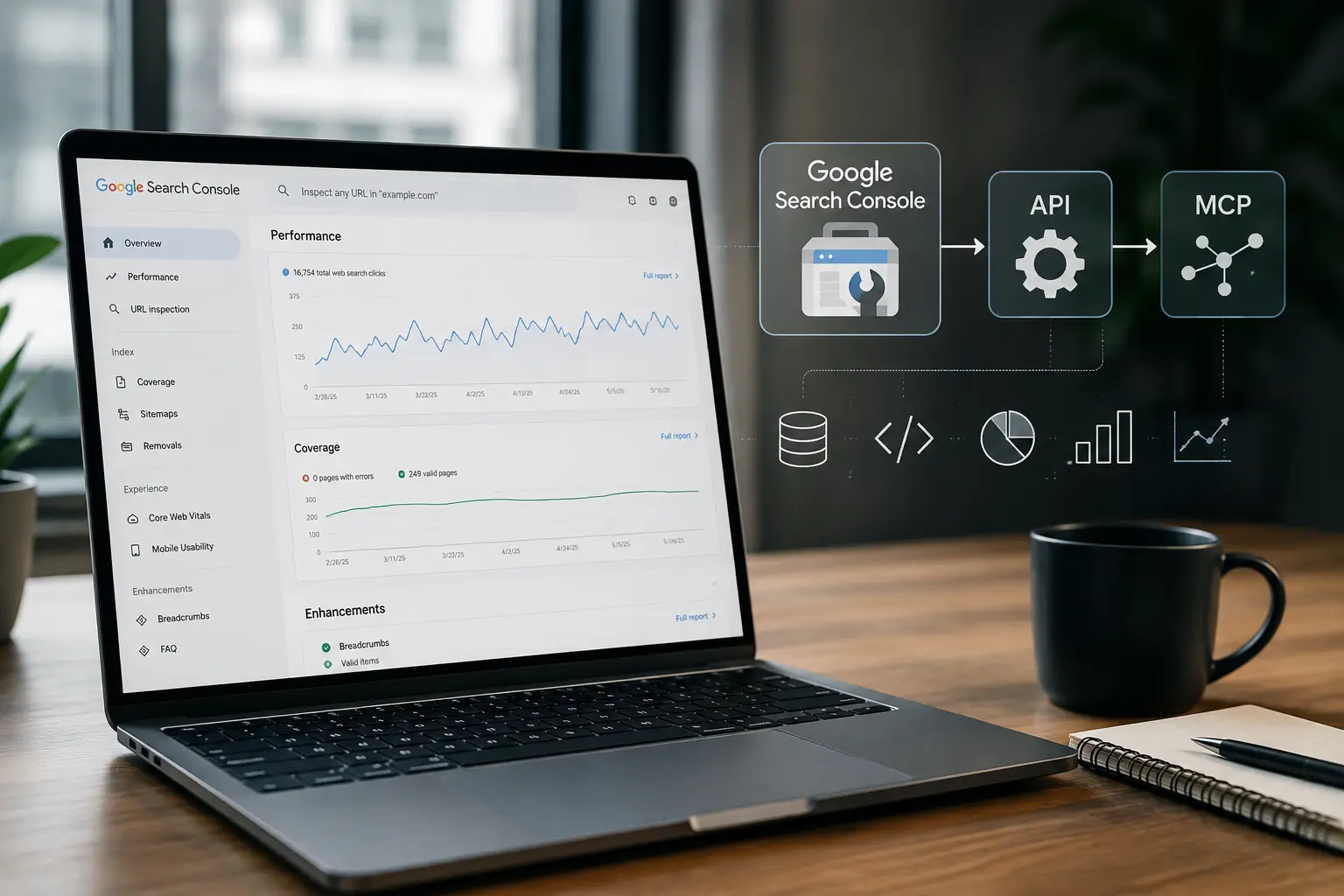
Google search console api and Google search console MCP are two related concepts that can help developers, SEO teams work with Google Search Console data. The Search Console API helps programmatic access to support Search Console data and operations, while MCP (Model Context Protocol), provides a standardized way for AI applications to connect with tools and data sources. They are not the same thing: the API is Google’s programmatic interface, while MCP can act as a tool layer that exposes Search Console-related capabilities to an AI application.
For teams managing SEO, this distinction matters. An API integration can feed raw data into a database, dashboard, reporting systems, or automation script. An MCP-based implementation can place selected Search Console capabilities behind tools that an AI assistant can discover and use. The exact capabilities depend on the MCP server and its underlying implementation, so MCP shouldn’t be treated as a Google Search Console product.
This guide explains how the two approaches work, where they overlap, how authentication and permissions affect access, what SEO teams can automate, and how to design a secure workflow for Search Console data.
What Is the Google Search Console API?
The Google Search Console API is a Google-provided interface that allows authorized applications to interact programmatically with supported Search Console resources. Instead of manually opening Search Console and exporting reports, a developer can build an application that requests supported data or performs supported operations.
The most important performance capability is the Search Analytics API. It lets applications query search traffic using dimensions and filters, returning metrics such as clicks, impressions, CTR, and position. Search results can be grouped using dimensions such as query, page, country, device, and date.
In practical terms, the API turns Search Console from a primarily interactive reporting interface into a data source that software can query.
What Data Can You Retrieve?
Depending on the resource and permissions involved, developers can work with information such as:
- Search clicks
- Search impressions
- Click-through rate
- Average position
- Search queries
- Landing pages
- Countries
- Devices
- Search dates
- Search types
- Search appearance information
- Sitemap information
- URL inspection results
However, API output should not be interpreted as an unlimited database dump of everything visible in Search Console. Search Analytics has internal limitations and may return only the top rows available for a query. Google also documents data-loss considerations when grouping by certain dimensions.
For that reason, a good integration is designed around specific reporting and analysis requirements rather than simply attempting to download every possible combination of Search Console data.
What Is Google Search Console MCP?
Google Search Console MCP refers to an MCP-based implementation that exposes Search Console-related functionality to an AI application through the Model Context Protocol.
MCP is an open standard for connecting AI applications to systems where tools and data live. An MCP server can expose tools, resources, and prompts, allowing an MCP-compatible host to interact with those capabilities.
The important point is that MCP itself is not Google Search Console.
There is no reason to assume that every MCP server provides the same Search Console tools. One implementation might expose Search Analytics queries. Another might provide URL inspection. A third might combine Search Console with additional SEO or business-data sources.
The underlying architecture could look like this:
AI Assistant → MCP Client/Host → MCP Server → Search Console API → Google Search Console
The MCP server becomes the translation and tool layer between the AI application and the underlying data source.
API vs MCP: What Is the Difference?
| Factor | Google Search Console API | MCP |
| Primary purpose | Programmatic access to Search Console resources | Standardized connection between AI applications and tools/data |
| Provider | Open protocol ecosystem | |
| Connection model | Application sends API requests | AI host communicates with an MCP server |
| Typical users | Developers, SEO platforms, analysts | AI developers, agent builders, automation teams |
| Authentication | Google OAuth 2.0 for Search Console API | Depends on the MCP deployment and underlying services |
| Data source | Google Search Console | Any data source exposed by the MCP server |
| Output | API responses and structured data | Tool/resource results that an AI application can use |
| Main strength | Reliable software-to-Google integration | AI-friendly tool and data access |
| Example | Query clicks and impressions | Ask an AI agent to analyze authorized Search Console data |
The simplest way to remember the difference is:
The API provides the connection to Google Search Console. MCP provides a standardized interface through which an AI application can use tools and data.
An MCP server may therefore use the Search Console API underneath, but MCP and the API remain different layers.
How the Google Search Console API Architecture Works
A typical integration contains several components:
Google Cloud Project
↓
Search Console API Enabled
↓
OAuth 2.0 Authentication
↓
Authorized Google Account
↓
Search Console Property Permissions
↓
API Request
↓
Search Console Response
↓
Database / Dashboard / Reporting / Automation
Google’s documented authorization flow requires applications interacting with the Search Console API to use OAuth 2.0. The API supports a read-only scope and a read/write scope.
The property permission is equally important. Having an API project does not automatically give the application access to every Search Console property. The authenticated user must have appropriate access to the property being requested.
Step 1: Create or Select a Google Cloud Project
The integration starts with a Google Cloud project.
This project acts as the application environment where API access and credentials are managed. It is separate from the Search Console property itself.
Step 2: Enable the Search Console API
The application must be configured to use the Google Search Console API.
Google’s current documentation describes enabling the Search Console API through the Google API Console as part of the authorization setup.
Step 3: Configure OAuth 2.0
For Search Console API access, OAuth 2.0 is the core authorization mechanism.
The two primary scopes are:
| Scope | Access |
| https://www.googleapis.com/auth/webmasters.readonly | Read-only access |
| https://www.googleapis.com/auth/webmasters | Read/write access |
Google recommends requesting the narrowest scope that satisfies the application requirement. If an application only needs reporting data, read-only access is generally the more appropriate design.
Step 4: Authorize a Search Console Property
The Google account granting access must have the necessary permission for the Search Console property.
This is where many integrations fail.
A valid OAuth token does not mean that the application can automatically access any website. Google evaluates the authenticated user’s authorization and their access to the requested property.
Step 5: Send the API Request
Once authentication and property access are established, the application can send a request to the appropriate resource.
For example, the current Search Analytics endpoint is:
POST https://www.googleapis.com/webmasters/v3/sites/{siteUrl}/searchAnalytics/query
The siteUrl corresponds to the property as defined in Search Console, including the appropriate URL-prefix or Domain property format.
Step 6: Process the Response
The returned data can then be:
- Stored in a database.
- Transformed into a reporting dataset.
- Sent to a dashboard.
- Compared to previous periods.
- Combined with business or analytics data.
- Passed to an AI analysis layer.
- Used to trigger internal alerts.
This is where an API integration becomes valuable: the data no longer has to remain inside a manual reporting workflow.
Search Analytics: The Core SEO Automation Use Case
For most SEO teams, Search Analytics is the most useful part of the Search Console API.
A query can be designed around different dimensions and filters depending on the analysis required. Google documents dimensions including page, query, country, device, and date, among others.
A recurring SEO workflow might collect:
- Clicks by page
- Impressions by page
- CTR by query
- Average position by query
- Country-level performance
- Device-level performance
- Query/page combinations
- Daily performance trends
This makes it possible to build reporting systems that update automatically rather than relying on someone to export spreadsheets every week.
Example: Finding High-Impression, Low-CTR Queries
Suppose a website has a query receiving 40,000 impressions but only a small number of clicks.
An automated system can:
- Retrieve Search Analytics data.
- Filter queries by impressions.
- Calculate or read CTR.
- Identify unusually low CTR.
- Compare the current period with the previous period.
- Send the opportunity to an SEO dashboard.
- Ask an AI layer to summarize possible causes.
The final decision still belongs to the SEO team, but the repetitive discovery work can be automated.
Choosing an SEO Automation Partner
Technical SEO automation requires more than connecting an API.
A useful implementation should consider:
- Data architecture.
- Authentication.
- Permission management.
- Reporting requirements.
- API quotas.
- Error handling.
- AI tool permissions.
- Security.
- Human approval.
- Long-term maintenance.
A strong Best GEO agency should also understand that AI search visibility is not simply another name for traditional SEO reporting. Search data, structured information, content strategy, and AI-assisted workflows need to work together.
Search Console API for SEO Reporting
An automated reporting workflow can run on a schedule.
For example:
Daily Scheduler
↓
Authenticate
↓
Query Search Console
↓
Collect Performance Data
↓
Store Historical Dataset
↓
Calculate Changes
↓
Generate Report
↓
Send to SEO Team
A useful report might contain:
| Report Area | Example Insight |
| Clicks | Which pages gained or lost traffic? |
| Impressions | Which pages are becoming more visible? |
| CTR | Which queries have weak click-through rates? |
| Position | Which keywords moved significantly? |
| Queries | Which new searches appeared? |
| Pages | Which URLs are driving organic demand? |
| Countries | Which markets are growing? |
| Devices | Is mobile or desktop performance changing? |
Historical storage is especially useful because Search Console itself is primarily designed for analysis within its available reporting environment. An external database allows a team to create its own longitudinal reporting model.
Search Analytics Data Limitations
Automation does not remove Google’s data limitations.
Google states that Search Analytics is subject to internal limitations and does not guarantee that every possible row will be returned. Results are generally ordered by clicks, and the API documentation explains that grouping or filtering by page and query can cause some data to be dropped.
There are also API usage limits. Google documents quotas for Search Analytics, URL Inspection, and other Search Console resources, including per-site, per-user, and per-project limits.
A strong automation design should therefore:
- Avoid unnecessary repeated queries.
- Query only the dimensions actually needed.
- Use sensible date ranges.
- Store historical results.
- Respect quota limits.
- Retry temporary failures carefully.
- Avoid creating hundreds of redundant requests.
Sitemap Operations Through the API
Search Console’s API also provides sitemap-related methods.
The current API reference includes:
| Operation | Purpose |
| List | Lists submitted sitemaps |
| Get | Retrieves information about a specific sitemap |
| Submit | Submits a sitemap |
| Delete | Deletes a sitemap submission |
Google documents these operations under the Sitemaps resource.
This can be useful when a technical SEO workflow needs to monitor sitemap submissions as part of a larger site-management process.
However, sitemap operations should be treated differently from reporting queries. A reporting application may only need read access, while an automation that changes sitemap submissions requires broader permissions.
That distinction is one reason least-privilege authentication is important.
URL Inspection API
The URL Inspection API provides a programmatic way to inspect a URL’s indexed status within a Search Console property.
The current endpoint documented by Google is:
POST https://searchconsole.googleapis.com/v1/urlInspection/index:inspect
The request includes the URL being inspected and the Search Console property under which it should be evaluated.
The response can include information such as:
- Indexing verdict
- Coverage state
- Robots.txt state
- Indexing state
- Last crawl time
- Google-selected canonical
- User-declared canonical
- Crawling information
- Known sitemap information
One important limitation should be understood before building automation: Google’s current documentation states that the API provides the indexed version’s status and does not provide a live URL indexability test through this method.
How a Google Search Console MCP Implementation Works
An MCP-based architecture adds another layer:
┌──────────────────┐
│ AI Assistant │
└────────┬─────────┘
↓
┌──────────────────┐
│ MCP Client │
└────────┬─────────┘
↓
┌──────────────────┐
│ MCP Server │
└────────┬─────────┘
↓
┌──────────────────┐
│ Search Console │
│ API / Data Layer │
└────────┬─────────┘
↓
┌──────────────────┐
│ Google Search │
│ Console │
└──────────────────┘
The AI application does not necessarily need to understand Google’s raw REST endpoints directly.
Instead, the MCP server can expose higher-level tools such as:
- get_search_performance
- get_top_pages
- find_ctr_opportunities
- inspect_url
- list_sitemaps
- generate_search_report
Those names are illustrative rather than a claim about any specific existing MCP implementation.
The exact tools depend entirely on the server being used.
The MCP specification and SDK ecosystem define mechanisms for servers to expose tools, resources, and prompts to compatible AI hosts.
For organizations building a broader digital infrastructure, the same principle applies to Modern website design: technical systems should be designed around how users, search engines, analytics platforms, and AI tools interact with the website.
AI Client, MCP Server, Tools, and Google API
Each layer has a different responsibility.
1. AI Client or Host
This is the application where the model operates.
It may be an AI coding environment, agent platform, desktop application, or another MCP-compatible host.
2. MCP Client
The MCP client handles communication between the AI host and the MCP server.
3. MCP Server
The server exposes approved capabilities to the AI application.
It may validate inputs, enforce access rules, call underlying APIs, transform results, and return structured information.
4. Tools
Tools represent actions the AI application can invoke.
For Search Console, an implementation could expose read-oriented tools for performance reporting or URL inspection.
5. Underlying API
The MCP server may call the Google Search Console API to obtain the actual data.
The key point is that MCP does not magically create access to the Search Console. The underlying implementation still needs legitimate authorization to the data source.
Practical AI-Assisted Search Console Workflows
Once an authorized MCP implementation is available, the interaction can become more conversational.
For example, an SEO specialist could ask:
“Which pages lost the most clicks compared with the previous period?”
The workflow could be:
- AI receives the request.
- AI identifies the appropriate MCP tool.
- MCP server requests authorized Search Console data.
- Search Console API returns the relevant dataset.
- MCP server returns structured results.
- AI analyzes the changes.
- AI summarizes the findings.
Another request might be:
“Find queries with high impressions but unusually low CTR.”
The AI can use Search Analytics data, identify candidate queries, and explain the results.
Other useful workflows include:
- Finding pages with significant click declines.
- Identifying queries gaining impressions but not clicks.
- Summarizing weekly organic performance.
- Finding pages with rising impressions and falling CTR.
- Comparing device performance.
- Identifying countries with changing search visibility.
- Creating an executive SEO summary.
- Prioritizing pages for human review.
- Inspecting the indexing status of selected URLs.
The value is not simply “asking AI for Search Console data.” The real advantage is combining authorized data access with analysis and natural-language reasoning.
Reading Data vs Modifying Resources
This distinction should be explicit in any AI-powered SEO workflow.
Read Operations
Examples include:
- Retrieving clicks.
- Retrieving impressions.
- Analyzing queries.
- Reading sitemap information.
- Inspecting URL status.
These are generally easier to control because they do not modify Search Console resources.
Write or Modification Operations
Examples may include:
- Submitting a sitemap.
- Deleting a sitemap submission.
- Other supported resource modifications.
Google’s documentation shows that sitemap deletion requires the broader webmasters scope, while read-oriented operations can use webmasters.readonly.
An AI agent should therefore not automatically receive write access simply because it can read Search Console data.
A safer architecture is:
Read by default → analyze → request approval → perform controlled write action
Authentication and Permissions
Authentication is one of the most important parts of a production implementation.
Google’s current Search Console API documentation states that applications must use OAuth 2.0 and that Search Console API requests require authorization.
A simplified flow is:
- Create the Google Cloud project.
- Enable the Search Console API.
- Configure OAuth credentials.
- Define the required scopes.
- Authenticate the authorized Google user.
- Obtain an access token.
- Send the token with API requests.
- Request a property the user can access.
- Process the response.
Google’s documentation also notes that OAuth credentials can be created for web applications, installed applications, and service accounts in the broader OAuth credential ecosystem, while the Search Console API itself requires OAuth authorization for its requests. The exact service-account architecture should be validated against the deployment and property-permission model rather than assumed to work automatically.
Which Scope Should You Use?
For reporting and analysis, prefer:
https://www.googleapis.com/auth/webmasters.readonly
For workflows that genuinely need supported write operations:
https://www.googleapis.com/auth/webmasters
Do not request write access simply because it is convenient.
Security Best Practices
Search Console data can reveal a lot of valuable information about a website’s organic performance. An automated system should therefore treat credentials and data access as production security concerns.
Use Least Privilege
Give the application only the access it needs.
If a dashboard only reads performance data, read-only authorization is preferable to write access.
Protect OAuth Credentials
Do not place client secrets, refresh tokens, or other sensitive credentials inside:
- Public repositories
- Front-end JavaScript
- Public documentation
- Chat prompts
- Shared spreadsheets
- Hard-coded configuration files
Use an appropriate secret-management mechanism for the environment.
Never Put Credentials in AI Prompts
An AI assistant should never need a user to paste a private OAuth token into a prompt.
Credentials belong in the authentication layer, not the conversational layer.
Restrict Property Access
If an automation account can access multiple Search Console properties, consider whether it actually needs all of them.
Reducing the number of accessible properties limits the impact of a compromised workflow.
Separate Read and Write Tools
A useful MCP design is to expose read tools broadly while placing write operations behind explicit approval.
For example:
AI
↓
Read Search Console Data
↓
Analyze
↓
Recommend Action
↓
Human Approval
↓
Write Operation
This is much safer than allowing an autonomous agent to modify Search Console resources without review.
Google Search Console API vs Manually Exporting Search Console Data
Not every website needs an API integration.
Manual exports can be perfectly reasonable for a small website with occasional reporting needs.
| Situation | Manual Export | API Automation |
| Small website | ✓ | Optional |
| Monthly report | ✓ | Optional |
| Daily reporting | Limited | ✓ |
| Multiple properties | Difficult | ✓ |
| Automated alerts | Limited | ✓ |
| Custom dashboards | Limited | ✓ |
| AI analysis workflows | Difficult | ✓ |
| One-time analysis | ✓ | Usually unnecessary |
| Large recurring SEO operation | Inefficient | ✓ |
When Manual Export Is Enough
Manual exports may be appropriate when:
- The website is small.
- Reporting happens infrequently.
- Only one person uses the data.
- There are no automated alerts.
- Historical storage is unnecessary.
- The team does not need AI-assisted analysis.
When Automation Is Worth It
API automation becomes more attractive when:
- Reports are generated weekly or daily.
- Multiple websites are managed.
- Historical datasets are required.
- Teams need automated anomaly detection.
- Search Console data must be combined with other systems.
- SEO dashboards need fresh data.
- AI workflows need authorized Search Console access.
The goal should not be automation for its own sake. The goal is removing repetitive work and making search data easier to turn into decisions.
Building an SEO Automation Layer
A mature architecture can combine Search Console with other business systems.
For example:
Google Search Console
↓
Search Console API
↓
┌──────────────────────┐
│ Data / Integration │
│ Layer │
└──────────┬───────────┘
↓
┌───────────────────────────┐
│ │
SEO Dashboard MCP Server
│ │
↓ ↓
SEO Team Analysis AI Assistant
│ │
└────────────┬───────────────┘
↓
SEO Decision
This structure allows different users to consume the same underlying data.
Developers can work with structured API responses.
SEO specialists can use dashboards.
Managers can receive summaries.
AI systems can analyze authorized datasets through controlled tools.
For teams looking for broader SEO Services, an API-based Search Console workflow can also become part of a larger reporting and optimization infrastructure rather than remaining a standalone script.
Common Troubleshooting Problems
Technical integrations often fail for predictable reasons.
1. 403 Permission Error
A 403 response commonly means the authenticated identity does not have sufficient permission or the requested operation is not allowed.
Check:
- Which Google account authenticated?
- Does that account have access to the property?
- Is the property identifier correct?
- Does the OAuth scope support the operation?
- Is the requested operation read-only or write-enabled?
Google’s error documentation specifically includes insufficient Permissions and quota-related 403 errors.
2. Wrong Property Identifier
Search Console supports different property formats.
A URL-prefix property may look like:
https://www.example.com/
A Domain property may use:
sc-domain:example.com
The API request must use the property format as defined in Search Console.
A common mistake is using the homepage URL when the API expects the actual Search Console property identifier.
3. Authentication Failure
For authentication errors, verify:
- OAuth client configuration.
- Redirect configuration where relevant.
- Requested scopes.
- Access token validity.
- Refresh-token handling.
- The Google account that granted access.
Google documents authentication-related 401 errors such as invalid or expired credentials.
4. Quota Errors
If the integration suddenly stops working after repeated requests, quota may be the cause.
Google documents Search Analytics load and rate limits, along with separate URL Inspection limits.
The solution may involve:
- Reducing query frequency.
- Reducing date ranges.
- Avoiding duplicate queries.
- Caching results.
- Scheduling requests.
- Monitoring project usage.
5. Empty Responses
An empty response does not automatically mean the API is broken.
Check:
- Date range.
- Search type.
- Property.
- Filters.
- Dimensions.
- Whether data is available for the requested period.
- Whether the authenticated user has access.
Search Console data can also have availability delays, so an automation system should not treat every short-term absence of data as an SEO problem. Google’s guidance notes that performance data is typically available after a delay and recommends querying appropriate historical dates.
6. Incorrect Date Strategy
Large repeated queries can consume unnecessary quota.
For recurring systems, a daily collection strategy can be more efficient. Google recommends querying daily data and storing the results, with pagination where necessary.
A Practical Implementation Checklist
Before putting a Search Console API or MCP workflow into production, verify the following:
- Google Cloud project created
- Search Console API enabled
- OAuth credentials configured
- Correct OAuth scope selected
- Authorized Google account confirmed
- Search Console property access verified
- Property identifier tested
- Small API request completed successfully
- Quota monitoring implemented
- Credentials stored securely
- Read and write operations separated
- Errors logged
- Retry logic implemented carefully
- Historical data storage planned
- MCP tools reviewed before AI access
- Human approval added for sensitive write actions
This approach makes troubleshooting much easier because every layer can be tested independently.
What a Production SEO Workflow Can Look Like
A practical system for an SEO team could operate as follows:
Daily
- Collect Search Analytics data.
- Store clicks, impressions, CTR, position, queries, and pages.
- Compare against previous periods.
- Detecting unusual changes.
Weekly
- Identify winning and declining pages.
- Find high-impression, low-CTR queries.
- Review country and device trends.
- Generate an SEO summary.
On Demand
- Inspect selected URLs.
- Review indexing information.
- Check sitemap status.
- Ask an AI assistant to explain performance changes.
Monthly
- Combine Search Console data with business metrics.
- Evaluate organic growth.
- Review content opportunities.
- Produce management-level reporting.
This makes the API the data foundation while the MCP layer can become the AI interaction layer.
How AI Can Turn Search Console Data Into Decisions
The most useful AI workflow is not simply asking:
“What are my clicks?”
The stronger question is:
“Which pages lost significant clicks, what queries contributed to the decline, and which pages should the SEO team investigate first?”
That request requires several steps:
- Retrieve authorized data.
- Compare periods.
- Identify statistically or operationally meaningful changes.
- Connect pages with queries.
- Prioritize findings.
- Explain the result.
- Recommend human review.
The same pattern can be applied to content opportunities.
For example:
“Find queries with high impressions, positions that suggest visibility, and relatively weak CTR, then group them by page.”
The AI does not replace Search Console. It makes the existing data easier to interpret.
Where a Local SEO Team Can Benefit
Local businesses can use the same architecture for location-focused analysis.
A workflow could segment Search Console data by country, device, query, and landing page, then combine that information with other local-search datasets.
For a business operating in Egypt, this could support recurring analysis of Arabic and English search behavior, location-related queries, mobile performance, and landing-page visibility.
A local SEO agency can also use this kind of automation to standardize recurring reporting across multiple client properties, provided each property’s access and data permissions are handled independently.
MCP and the Future of AI SEO Workflows
MCP is particularly interesting because it changes how AI applications interact with external systems.
Instead of creating a separate custom integration for every AI application, a standardized protocol can allow compatible hosts to connect to servers that expose tools and resources.
The MCP specification has continued to evolve rapidly. The July 28, 2026 specification introduced a stateless protocol core, updated authorization hardening, cacheable list results, and other changes, while the project published an updated roadmap in August 2026.
That pace of development is another reason to avoid hard-coding assumptions about a particular MCP server.
If you are implementing a Search Console MCP workflow, document:
- Which MCP specification version you target.
- Which server implementation you use.
- Which tools are exposed.
- Which Google APIs are underneath.
- How authentication works.
- Which properties are accessible.
- Which tools can modify resources.
- What approval controls exist.
This makes the system easier to maintain as the MCP ecosystem evolves.
Google Search Console API vs MCP: Which Should You Use?
The answer depends on what you are building.
Choose the Search Console API when:
- You are building a custom dashboard.
- You need scheduled data collection.
- You are creating an SEO reporting platform.
- You want direct application-to-Google integration.
- You need predictable structured API responses.
- You are storing Search Console data in a database.
Consider MCP when:
- An AI assistant needs access to Search Console-related tools.
- You want natural-language analysis.
- You are building an agentic SEO workflow.
- Multiple AI applications need a standardized tool interface.
- You want to separate AI interaction from the underlying API implementation.
Use Both When:
For advanced AI SEO systems, using both can make sense:
Google Search Console API → Integration Layer → MCP Server → AI Application
This architecture separates responsibilities cleanly.
The Google API handles Google data access.
The integration layer handles business logic.
MCP exposes selected capabilities.
The AI handles conversational analysis and reasoning.
What do you need to fit into this Workflow?
A technical SEO automation project should start with the business problem rather than the technology.
For example, a company may want:
- Automated weekly SEO reports.
- Search Console dashboards.
- Automated performance alerts.
- AI-assisted SEO analysis.
- Multi-property reporting.
- Custom data pipelines.
- Secure integrations.
The implementation can then be designed around those requirements.
Be One agency can position this type of work around building a practical connection between SEO data, automation, and decision-making rather than treating an API connection as the final objective.
The important principle is simple: collect the right data, protect access to it, analyze it consistently, and turn the findings into actions the SEO team can actually use.
Final Takeaway
The Google Search Console API and MCP solve different problems.
The Search Console API is Google’s programmatic interface for supported Search Console data and operations. It is useful for collecting performance data, working with sitemaps, inspecting URLs, building dashboards, and automating recurring SEO reporting.
MCP is a standardized protocol for connecting AI applications with tools and data. An MCP server can expose Search Console-related capabilities to an AI assistant, but the exact functionality depends on the implementation and underlying data source.
The strongest architecture for an AI-driven SEO operation can combine both:
Google Search Console
↓
Search Console API
↓
Secure Integration Layer
↓
MCP Server
↓
AI Assistant / Agent
↓
SEO Analysis
↓
Human Decision
The API provides structured access. MCP provides an AI-friendly tool layer. Security and permissions control what the system can actually access.
When these layers are designed carefully, Search Console data can move from manual exports into repeatable reporting, intelligent analysis, and more scalable SEO workflows.
FAQ?
What is Google Search Console API?
The Google Search Console API is Google’s programmatic interface for accessing supported Search Console resources. It can be used to query Search Analytics data and work with resources such as sitemaps and URL Inspection.
Is the Google Search Console API free?
Google provides Search Console API access with documented usage quotas and limits. However, your overall automation may still involve costs from infrastructure, databases, cloud services, monitoring, or third-party platforms. The API’s quota model should be checked before designing a high-volume system.
How do I access Search Console data programmatically?
Create or select a Google Cloud project, enable the Search Console API, configure OAuth 2.0, authorize an account with access to the relevant Search Console property, and then send authenticated requests to the appropriate API resource.
What is MCP?
MCP( Model Context Protocol), is an open standard that allows AI applications to connect with external tools and data sources through MCP servers.
How does MCP work with Search Console?
A Search Console-focused MCP implementation can expose tools that retrieve or analyze Search Console information. The MCP server may call the Google Search Console API underneath and return the results to an AI-compatible host. The exact tools and architecture depend on the implementation.
Is MCP the same as the Google Search Console API?
No. The Search Console API is Google’s API for programmatic access to Search Console resources. MCP is a protocol for connecting AI applications to tools and data. An MCP implementation may use the Search Console API, but the two technologies operate at different layers.
Can Chat GPT access Search Console data through MCP?
Potentially, but only when the Chat GPT environment, MCP integration, server, and authorization setup support that connection. An MCP server must expose the relevant tools, and the user or organization must authorize access to the underlying Search Console property. MCP does not automatically grant Search Console access.
What permissions are required?
The required permissions depend on the operation. Google’s Search Console API supports a read-only OAuth scope and a broader read/write scope. Read-only reporting workflows should generally request the read-only scope, while supported modification workflows may require the broader scope.
What should I do if the API returns a 403 error?
Check the authenticated Google account, Search Console property access, OAuth scope, property identifier, and API quota. Google’s documented 403 errors include insufficient permissions and quota-related failures.
Why does my API response contain fewer rows than expected?
Search Analytics has internal data limitations, and Google states that the API does not guarantee that all possible rows will be returned. Grouping or filtering by page and query can also result in data loss.
Should I automate Search Console reporting?
If your team produces recurring reports, manages multiple properties, needs historical datasets, wants automated alerts, or plans to use AI for SEO analysis, API automation can provide substantial value. For occasional one-off analysis, manual exports may still be simpler.
Start Automating Your SEO Data
Want to automate your SEO reporting and turn Google Search Console data into actionable insights? Contact Be One to build a secure, data-driven SEO automation workflow for your business.


