

Bing Search Console vs Google Search Console: Key Differences and Which One Do You Need?

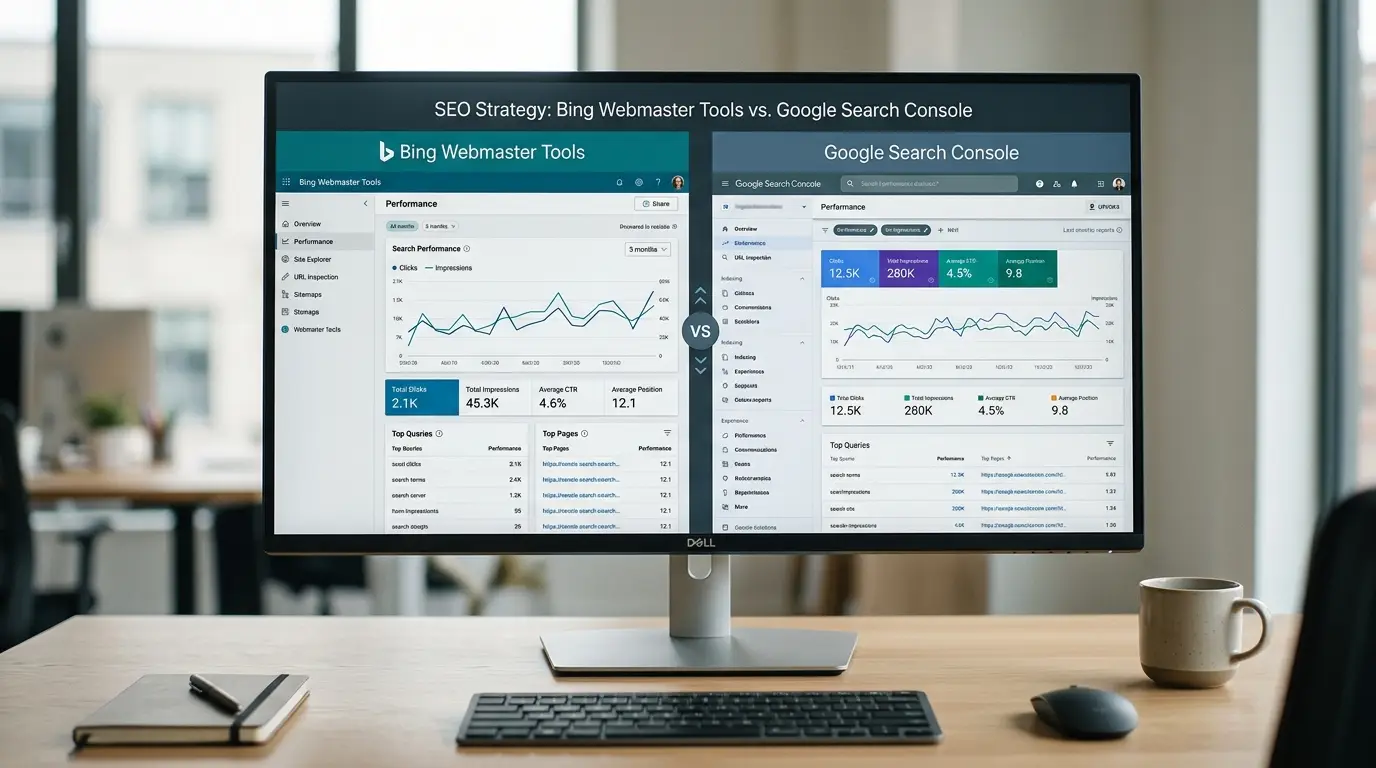
If you are choosing between Bing Search Console and Google Search Console, the short answer is you usually shouldn’t choose only one. Google search console is important for understanding website performance in Google Search, while Bing webmaster tools provides similar visibility into Bing and adds tools that are particularly relevant to Microsoft-powered search and AI experiences. For most website owners, using both platforms gives you a broader view of organic search performance, indexing, crawling, and emerging AI visibility.
There is also an important technical distinction to understand before building SEO automation. The Google Search Console API provides programmatic access to supported Search Console data and operations. MCP, or Model Context Protocol, is different: it is a standardized protocol that allows AI applications to connect with external tools and data sources.
MCP is not itself a Google Search Console product. An MCP implementation can, however, expose Google Search Console-related functionality to an AI assistant through the underlying API or another authorized data source.
This distinction matters because SEO teams increasingly want to move beyond manually opening dashboards and exporting spreadsheets. With the right architecture, Search Console data can feed recurring reports, dashboards, automated analysis, and AI-assisted workflows.
Google Search Console vs Bing Search Console at a Glance
Google Search Console and Bing Webmaster Tools serve a similar fundamental purpose: they help website owners understand how their sites are discovered, crawled, indexed, and surfaced in search.
However, they are not interchangeable.
| Area | Google Search Console | Bing Webmaster Tools |
| Primary search engine | Bing | |
| Search performance | Clicks, impressions, CTR, position, queries, pages and more | Clicks, impressions, CTR, position, queries, pages and search sources |
| Indexing tools | URL Inspection, indexing reports and sitemap management | URL Inspection, live URL testing, sitemap tools and URL submission |
| Search data | Google Search performance data | Bing Search performance data |
| AI visibility | Search Console data can support analysis, but it is not an MCP or AI-citation dashboard | AI Performance reports citations across supported Microsoft AI experiences |
| Sitemap management | Supported through the API and interface | Supported through Bing Webmaster Tools and APIs |
| Automation | Search Console API | Bing Webmaster APIs |
| AI integration | Can be connected to AI systems through integrations or custom MCP servers | Can be integrated through available APIs and third-party/custom systems |
| Best for | Google organic search visibility | Bing and Microsoft search/AI visibility |
| Should you use it? | Yes for most SEO programs | Yes if Bing and Microsoft search visibility matter |
Bing Webmaster Tools currently provides Search Performance data covering Bing search sources, while its newer AI Performance functionality adds visibility into how website content is cited in supported AI-generated answers.
AI-driven search is expanding the definition of search visibility beyond traditional rankings. The difference between GEO vs SEO is that SEO focuses on search engine visibility, while GEO considers how content may be discovered and referenced within generative AI experiences. Both approaches can complement each other as search continues to evolve.
What Is the Google Search Console API?
The Google Search Console API is a developer interface that provides programmatic access to supported Search Console data and operations. Instead of manually opening Search Console and downloading reports, an authorized application can request data and use the returned information in another system.
The Google Search Console API turns this data into a programmatic resource for authorized applications. It can support automated reporting, dashboards, performance monitoring, and other SEO workflows without relying on repeated manual exports.
Google’s current API documentation describes services for Search Analytics, Sitemaps, Sites, and URL Inspection. Search Analytics can return performance information such as clicks, impressions, CTR, and average position, grouped or filtered by dimensions such as query, page, country, device, date, and search appearance.
For example, an SEO reporting system could automatically request:
- Organic clicks
- Impressions
- Average CTR
- Average position
- Search queries
- Landing pages
- Countries
- Devices
- Search appearance data
- Date-based performance
- Sitemap information
- URL inspection information
- Search Console property information
The API is particularly useful when Search Console data needs to become part of a larger workflow rather than remaining inside the Search Console interface.
Before working with its API, it helps to understand what is Google Search Console. It is Google’s platform for monitoring search performance, indexing, queries, clicks, impressions, and other website visibility signals.
What Can the Search Console API Do?
Google currently documents four major API services:
| API service | What it does |
| Search Analytics | Queries Search performance data using dimensions, filters and date ranges |
| Sitemaps | Lists, retrieves, submits and deletes sitemaps where permitted |
| Sites | Lists, adds, retrieves and removes Search Console properties |
| URL Inspection | Retrieves index-status information for a specified URL |
The API reference confirms that Search Analytics uses the /sites/{siteUrl}/searchAnalytics/query method, while URL Inspection uses POST /urlInspection/index:inspect. Sitemap operations include listing, retrieving, submitting, and deleting sitemaps.
One important technical detail is that URL Inspection through the API currently reports the status of the version in Google’s index; it is not the same as performing a live URL test in the Search Console interface.
Search Analytics Data
Search Analytics is often the most valuable part of the API for SEO automation.
An API request can organize Search Console performance around dimensions such as:
- Query
- Page
- Country
- Device
- Search appearance
- Date
The returned rows can include clicks, impressions, CTR, and average position. Google’s documentation also notes that the API is subject to Search Console’s internal data limitations and does not guarantee that every possible row will be returned.
That makes the API useful for reporting and analysis, but teams should understand its data limits before designing large-scale extraction systems.
Sitemap Operations
The API also supports sitemap-related operations.
Depending on the required permission and operation, an application can:
- List submitted sitemaps
- Retrieve sitemap information
- Submit a sitemap
- Delete a sitemap
For example, Google’s current documentation specifies the sitemap submission operation as a PUT request and requires the webmasters authorization scope.
This can be useful when sitemap management is part of an automated publishing or technical SEO workflow.
URL Inspection
URL Inspection can be used programmatically to retrieve information about a URL’s status in Google’s index.
The response can contain information such as:
- Indexing state
- Coverage state
- Robots.txt state
- Last crawl time
- Google-selected canonical
- User-declared canonical
- Crawling information
- Known sitemap references
- Referring URLs
This makes URL Inspection valuable for technical SEO systems that need to monitor specific URLs without requiring an SEO specialist to inspect each URL manually.
Google Search Console API vs MCP
The Google Search Console API and MCP are related concepts, but they are not the same technology.
| Feature | Google Search Console API | MCP |
| Primary purpose | Programmatic access to Search Console functionality | Standardized connection between AI applications and external tools/data |
| What it connects | Application → Google Search Console | AI client → MCP server → tools/data |
| Typical users | Developers, SEO engineers, analysts | AI developers, application developers and teams building agentic workflows |
| Authentication | Google authorization mechanisms and required scopes | Depends on the MCP server and deployment |
| Data source | Google Search Console | Any authorized system exposed by the MCP server |
| Output | API response/data | Tool results, resources or other protocol responses |
| AI required? | No | Designed for AI application integration |
| Is it a Google product? | Yes | No; MCP is an open standard |
The Model Context Protocol is an open standard for connecting AI applications to systems where data and tools live. MCP servers can expose tools, resources, and prompts, allowing an AI host to interact with capabilities provided by the server.
So, the simplest way to think about the relationship is:
Google Search Console API = the interface for accessing Search Console programmatically.
MCP = the interface that can make external tools and data available to an AI application in a standardized way.
An MCP server can use the Google Search Console API underneath it, but MCP does not replace or become the Search Console API.
What Is Google Search Console MCP?
There is no reason to describe “Google Search Console MCP” as a native Google Search Console product unless a specific implementation has been verified.
Instead, the term generally refers to an MCP implementation that exposes Google Search Console-related capabilities to an AI application.
The architecture might look like this:
Google Search Console
│
▼
Search Console API
│
▼
Google Search Console MCP Server
│
├── Search Analytics Tool
├── URL Inspection Tool
├── Sitemap Tool
└── Other Authorized Tools
│
▼
AI Client / AI Assistant
│
▼
SEO Analysis or Decision
The exact tools available depend entirely on the MCP server being used.
One implementation might expose read-only Search Analytics queries. Another might provide URL inspection. Another could combine Search Console with analytics, databases, crawlers, or other SEO systems.
That is why you should verify the specific MCP implementation before claiming that a particular tool, endpoint, authentication mechanism, or Search Console action is supported.
The current MCP specification has also evolved significantly. The July 28, 2026 specification introduced a stateless protocol core, updated authorization behavior, cacheable list results, and other changes, so technical documentation should be checked against the implementation and protocol version being used.
How Does an MCP Integration Work With Search Consoles?
A typical architecture has four main components.
1. AI Client
The AI client is the application that interacts with the user and decides when it needs external information.
For example, a user might ask:
“Which pages lost the most clicks over the last 28 days?”
The AI model cannot answer accurately from its general knowledge because the answer depends on the website’s private Search Console data.
2. MCP Server
The MCP server exposes approved capabilities to the AI application.
It might provide a tool that effectively allows the AI system to request Search Analytics data using parameters such as:
- Date range
- Page
- Query
- Country
- Device
- Search appearance
3. Search Console API or Data Source
Behind the MCP server, the implementation can call the Google Search Console API or another authorized source.
The MCP server translates the AI application’s request into the appropriate underlying operation and returns the result in a form the AI client can use.
4. AI Analysis
The AI assistant receives the authorized data and analyzes it.
For example, it could identify:
- Pages with declining clicks
- Queries with high impressions and low CTR
- Pages gaining impressions but losing position
- Content opportunities
- Sudden performance changes
- Query-to-page mismatches
The important point is that the AI is analyzing authorized data. MCP itself does not magically grant access to Search Console.
Practical Google Search Console API Architecture
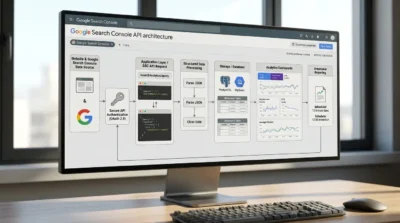
A conventional integration can be structured like this:
Google Cloud Project
│
▼
Enable Required API
│
▼
OAuth / Supported Authentication
│
▼
Search Console Permissions
│
▼
API Request
│
▼
Search Console Response
│
▼
Database / Reporting Layer
│
├── SEO Dashboard
├── Automated Report
├── Alerting System
└── AI Analysis
The application first needs an appropriate Google Cloud setup and authorization. The authenticated identity must also have the necessary access to the Search Console property being queried.
This last point is critical.
Having access to the API does not automatically mean that the application can read every website in a Search Console account. Property-level permissions still matter.
How SEO Teams Can Use the Search Console API
For SEO teams, automation can eliminate repetitive reporting work.
1. Automatically Collect Performance Data
A scheduled process can collect:
- Clicks
- Impressions
- CTR
- Position
- Queries
- Pages
- Countries
- Devices
The data can then be stored in a database or reporting system.
2. Build Recurring SEO Reports
Instead of manually exporting data every week, an automated workflow can generate recurring reports containing:
- Overall organic performance
- Biggest winners
- Biggest losers
- Query opportunities
- Page-level changes
- Country performance
- Device performance
- CTR opportunities
3. Detect Unusual Performance Changes
An automation system can compare current performance with historical baselines.
For example:
Normal weekly clicks: 12,000–14,000
Current weekly clicks: 8,900
↓
Performance anomaly detected
↓
Analyze affected pages
↓
Analyze affected queries
↓
SEO team receives alert
This approach can turn Search Console from a reporting destination into an early-warning system.
4. Combine Search Console With Business Data
Search Console data becomes more useful when combined with other datasets.
For example:
Search Console + Analytics + CRM + Revenue Data
can help an SEO team move from:
“This keyword generated more clicks.”
to:
“This group of queries generated more organic visits and contributed to higher-value conversions.”
That distinction is important because search visibility is not the same as business value.
AI-Assisted Search Console Workflows
Once an authorized Search Console data source is connected to an AI system through an appropriate integration, several workflows become possible.
Once an authorized Search Console data source is connected to an AI system through an appropriate integration, several workflows become possible.
Find Pages Losing Clicks
A user could ask:
“Find pages that lost more than 20% of their clicks compared with the previous period.”
The workflow could:
- Retrieve Search Analytics data.
- Compare periods.
- Calculate percentage changes.
- Identify affected pages.
- Rank the largest declines.
- Summarize possible patterns.
Find High-Impression, Low-CTR Queries
Another workflow could ask:
“Find queries with high impressions but unusually low CTR.”
The system could filter the data and identify pages where title or snippet optimization may deserve attention.
Summarize Performance Changes
Instead of reading a large spreadsheet, an SEO manager could ask:
“Summarize what changed in organic search performance this month.”
The AI could summarize:
- Traffic changes
- Query trends
- Page winners
- Page losses
- Device differences
- Country differences
Identify Content Opportunities
An AI workflow could analyze queries that receive substantial impressions but have relatively weak performance and group them into potential content or optimization opportunities.
However, the resulting recommendations should still be reviewed by an SEO professional. Search data alone does not establish why a page changed or guarantee that a particular optimization will work.
These workflows can also support AI SEO optimization by turning Search Console signals into practical content and optimization opportunities. AI can help identify patterns faster, while SEO professionals remain responsible for validating the recommendations.
Reading Data vs Taking Actions
This distinction becomes especially important when AI systems are involved.
Read-only workflows
Examples include:
- Retrieve Search Analytics data
- Analyze clicks
- Compare periods
- Inspect URLs
- Identify trends
- Generate reports
These workflows primarily consume information.
Action-oriented workflows
Examples can include operations that modify Search Console resources, such as submitting or deleting a sitemap where the relevant API permissions allow it.
For example, Google’s sitemap submission operation requires the broader webmasters scope rather than only the read-only scope.
AI workflows that can take actions should therefore have much stricter controls than workflows that only read and analyze data.
Bing Webmaster Tools: Where It Fits
Bing Webmaster Tools is the Microsoft-side equivalent of Google Search Console for many common webmaster tasks.
Its Search Performance report provides information about clicks, impressions, CTR, position, queries, pages, and different search sources.
Bing’s current reporting also includes Web and Chat among its tracked sources.
Bing also provides technical tools such as URL Inspection.
The URL Inspection tool can show:
- Index status
- Crawling issues
- SEO issues
- Markup information
- Live URL results
- Bingbot crawling behavior
- Potential indexing problems
It can also allow eligible URLs to be submitted for recrawling, subject to available submission quota.
Bing’s AI Search Advantage
One of the most notable differences in the current Bing Webmaster Tools ecosystem is its dedicated AI Performance reporting.
Bing’s AI Performance report measures how website content is cited across supported AI experiences, including Microsoft Copilot, AI-generated summaries in Bing, and selected partner integrations. It can show cited pages, citation activity, and grounding-query information.
This does not mean that AI citations are equivalent to rankings or traffic.
Bing explicitly distinguishes citation activity from traditional search metrics. A citation indicates that content was referenced in an AI-generated answer; it does not represent a click, ranking, or direct measure of traffic.
Google Search Console vs Bing Webmaster Tools for AI Search
AI search is changing how website visibility is measured.
Traditional SEO asks:
“Where does my page rank?”
AI search introduces additional questions:
“Is my content being retrieved?”
“Is it being cited?”
“Which pages are being referenced?”
“Which topics are associated with my content?”
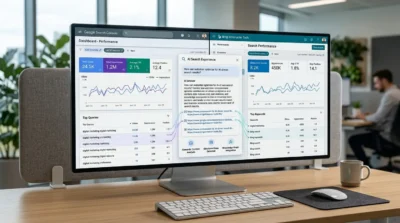
Bing has already introduced dedicated AI Performance reporting for supported Microsoft AI experiences. Google Search Console, by contrast, remains primarily focused on Google’s search performance and indexing ecosystem rather than functioning as a generic AI citation analytics dashboard.
For businesses focused on AI search visibility, the practical approach is therefore to use the platform-specific data available rather than assuming that one Search Console metric represents visibility across every AI system.
This shift also makes SEO for AI increasingly important for businesses that want visibility beyond traditional search results. Search Console data can provide a useful foundation for understanding which topics and pages already perform well before adapting content for AI-driven search experiences.
Bing Webmaster API and Automation
Bing also provides an API for programmatic access to website information.
Microsoft’s current documentation says the Bing Webmaster API can provide information including rank and traffic statistics, link details, keyword details, and crawl statistics. It can also support operations such as submitting URLs and sitemaps.
There is an important current migration consideration: Bing states that its legacy SOAP and POX APIs are scheduled for retirement on August 31, 2026, with users directed to the REST APIs to avoid service disruption.
Therefore, developers building Bing automation should not rely on older API examples without checking Microsoft’s current REST API documentation.
Google Search Console API vs Manually Exporting Search Console Data
Not every SEO team needs an API.
Manual exports can be perfectly reasonable for smaller websites or occasional analysis.
| Situation | Manual Export | API Automation |
| One-time analysis | Excellent | Usually unnecessary |
| Monthly SEO report | Possible | Better for recurring work |
| Weekly reporting | Time-consuming | Excellent |
| Large number of properties | Difficult | Much more scalable |
| Automated alerts | Not practical | Excellent |
| Custom dashboards | Limited | Excellent |
| AI-assisted analysis | Requires extra steps | Strong fit |
| Small website with simple needs | Often sufficient | May be unnecessary |
| Enterprise SEO | Usually insufficient alone | Strongly recommended |
Google itself describes the Search Console API as free, while noting that it is subject to usage quotas. Google’s guidance also positions API-based exports as useful for building custom interfaces and working with Search Console performance data programmatically.
When Manual Export Is Enough
Use manual exports when:
- You only need data occasionally.
- Your website is small.
- Reports are created infrequently.
- You do not need alerts.
- You do not need a custom dashboard.
- Spreadsheet analysis is sufficient.
When Automation Is Worth It
Consider automation when:
- You manage multiple websites.
- Reports are produced every week or month.
- You need historical comparisons.
- You want automated anomaly detection.
- You want centralized SEO dashboards.
- You need to combine SEO data with business data.
- You want AI-assisted Search Console analysis.
The goal should not be to automate something simply because it can be automated. The goal is to automate repetitive data collection so that SEO professionals can spend more time interpreting the data and making decisions.
Security Best Practices for Search Console Automation
Search Console data can contain valuable business information, so security should be designed into the integration from the beginning.
Use Appropriate Authorization
Use the authorization mechanism required by the current Google implementation and request only the scopes necessary for the workflow.
Google documents both read-only and broader Search Console authorization scopes for API operations.
Follow Least-Privilege Access
If a workflow only needs to analyze performance data, it should not receive unnecessary permissions to modify resources.
This becomes even more important when an AI assistant can invoke tools.
Protect OAuth Credentials and Tokens
Credentials and tokens should be stored in an appropriate secrets-management system rather than:
- Inside source code
- Inside public repositories
- In shared spreadsheets
- Inside AI prompts
- In plain-text configuration file
Control Property Access
Limit automated workflows to the Search Console properties they actually need.
An automation system should not have unrestricted access to every property available to a user simply because the user’s account has access to them.
Treat MCP Tools as Privileged Interfaces
An MCP server effectively creates a bridge between an AI application and external systems.
That bridge should be treated as a security boundary.
Define:
- Which tools are available
- Which properties they can access
- Which operations are read-only
- Which operations can modify resources
- Which users can invoke them
- How requests are logged
- How credentials are stored
The MCP ecosystem continues to evolve, including its authorization and security model, so production implementations should follow the current specification and the security guidance of the specific MCP server being deployed.
Troubleshooting Search Console API Integrations
When an integration fails, avoid changing several variables at once. Diagnose the problem systematically.
| Problem | Likely cause | What to check |
| 403 permission error | User or service identity lacks property access | Verify Search Console property permissions |
| Authentication failure | Invalid or expired credentials | Recheck OAuth flow, tokens and client configuration |
| Property not found | Incorrect property identifier | Confirm exact URL-prefix or Domain property format |
| Empty response | Filters, dates or dimensions return no rows | Test a broader date range and simpler query |
| API quota error | Too many requests | Review quota usage and implement efficient requests |
| Sitemap operation fails | Insufficient scope | Verify the authorization scope required by that operation |
| URL inspection fails | URL does not belong to selected property | Confirm inspectionUrl and siteUrl correspond |
| MCP tool unavailable | Server does not expose that capability | Check the specific MCP implementation’s tool list |
| AI gives incomplete results | Underlying API data limitations | Check Search Console data availability and API limits |
1. Start With Authentication
Confirm that the application can successfully authenticate before debugging the Search Console request itself.
2. Verify Property Access
A valid token does not automatically provide access to an arbitrary Search Console property.
Check whether the authenticated account has the necessary access.
3. Confirm the Property Identifier
Google supports both URL-prefix and Domain properties. The API expects the property identifier in the form used by Search Console, such as a URL-prefix URL or a sc-domain: property.
4. Test a Simple Query
Before running a complicated query with multiple filters and dimensions, test a basic Search Analytics request.
Then add complexity gradually.
5. Check Quotas and Data Limits
A successful API integration can still return incomplete or limited results because Search Console data itself has limitations.
Google’s current help documentation states that API performance data is limited to 50,000 rows per day per type per property for the relevant export workflow.
6. Debug the MCP Layer Separately
If an MCP workflow fails, determine whether the problem is:
AI client → MCP server
or:
MCP server → Search Console/API
or:
Search Console API → Property/data permissions
Separating these layers makes troubleshooting much faster.
Which Platform Should You Use?
The best choice depends on your search strategy.
Choose Google Search Console if:
- Google is your primary search engine.
- You need Google organic performance data.
- You want Search Analytics automation.
- You need Google URL Inspection.
- Your SEO reporting is centered on Google.
Choose Bing Webmaster Tools if:
- Bing traffic matters to your business.
- You target Microsoft search users.
- You want Bing-specific crawl and indexing insights.
- You need Bing URL Inspection.
- You want visibility into supported Microsoft AI citation activity.
Use Both if:
- Organic search is strategically important.
- You operate internationally.
- You want broader search visibility.
- You care about both Google and Microsoft ecosystems.
- You are building a comprehensive SEO reporting system.
For many businesses, using both is the most practical answer.
A Practical SEO Automation Architecture
A mature SEO automation setup can combine multiple layers:
┌─────────────────────┐
│ Google Search │
│ Console │
└──────────┬──────────┘
│
▼
Search Console API
│
▼
┌─────────────────────┐
│ Integration / MCP │
│ Layer │
└──────────┬──────────┘
│
┌──────────────┴──────────────┐
▼ ▼
AI Assistant SEO Dashboard
│ │
└──────────────┬──────────────┘
▼
SEO Decision
│
▼
Optimization / Action
For a broader setup, Bing Webmaster APIs and other business data sources can be added alongside Google Search Console.
The result is a system in which raw search data is collected automatically, transformed into useful information, interpreted by people or AI, and ultimately converted into SEO decisions.
Final Takeaway
Google Search Console and Bing Webmaster Tools are not competing tools where you necessarily need to pick one. They provide search-engine-specific visibility, and using both can give website owners a more complete understanding of organic search performance.
For developers and SEO teams, the Google Search Console API provides the programmatic foundation for collecting supported Search Console data and performing supported operations. Google’s current API includes Search Analytics, Sitemaps, Sites, and URL Inspection functionality.
MCP is a different layer. It is an open protocol for connecting AI applications with external tools and data. A Google Search Console MCP implementation can therefore act as a bridge between an AI assistant and Search Console-related functionality, but the exact capabilities depend on the MCP server being used.
For organizations investing in SEO automation, the strongest architecture is usually not “API versus MCP.” Instead, it is:
Search Console → API → Integration/MCP Layer → AI or Dashboard → SEO Decision
And for search visibility itself:
Google Search Console + Bing Webmaster Tools → Broader SEO Intelligence
The technology should support the workflow, not become the workflow. Start with the SEO decisions you want to improve, then determine which data, API access, automation, and AI capabilities are actually necessary.
Want to automate your SEO reporting and turn Google Search Console data into actionable insights? Contact Be One to build a secure, data-driven SEO automation workflow for your business.
FAQ
What is Google Search Console API?
The Google Search Console API is a developer interface that provides programmatic access to supported Search Console data and operations. It can be used to query Search Analytics data, work with sitemaps, access Search Console property information, and perform supported URL Inspection operations.
Is the Google Search Console API free?
Yes. Google states that the Search Console API is free to use, although usage quotas and data limitations apply.
How do I access Google Search Console data programmatically?
You need to build an application that authenticates appropriately with Google, uses the Search Console API, and operates against a Search Console property to which the authorized identity has sufficient access. The exact authorization flow should follow Google’s current documentation rather than relying on outdated implementation examples.
What is MCP?
MCP stands for Model Context Protocol. It is an open standard that allows AI applications to connect with external tools and data sources through MCP servers.
How does MCP work with Search Console?
An MCP server can expose Search Console-related tools to an AI client. The server may use the Google Search Console API or another authorized data source underneath. The AI client invokes the available tool, the MCP server processes the request, and the resulting data is returned for analysis.
Is MCP the same as the Google Search Console API?
No.
The API provides programmatic access to Google Search Console functionality. MCP is a protocol for connecting AI applications to tools and data. An MCP server can use the Search Console API, but MCP itself is not the Search Console API.
Can ChatGPT access Search Console data through MCP?
Potentially, but it depends on the specific ChatGPT environment, MCP support, configured connector or MCP server, authentication, and the tools that implementation exposes. You should not assume that ChatGPT automatically has access to a Search Console property simply because an MCP server exists.
What permissions are required for Google Search Console API access?
The required permission depends on the operation. Google’s API documentation lists read-only and broader Search Console authorization scopes. For example, Search Analytics and URL Inspection can use the webmasters.readonly scope, while operations such as submitting a sitemap require the broader webmasters scope.
Should I use Google Search Console or Bing Webmaster Tools?
For most businesses, use both when organic search is important. Google Search Console provides insight into Google Search, while Bing Webmaster Tools provides Bing-specific performance, indexing, crawling, and AI visibility information.
Does Bing Webmaster Tools support AI search insights?
Yes. Bing’s current AI Performance report provides information about how site content is cited across supported AI experiences, including Microsoft Copilot and AI-generated summaries in Bing. These citation metrics should not be interpreted as rankings or traffic metrics.
Want to monitor your website across Google and Bing instead of relying on one search engine? Contact Be One for a complete technical SEO and search visibility strategy across multiple search platforms.


