

How to Generate a Sitemap for Blogger: Complete XML Sitemap Guide

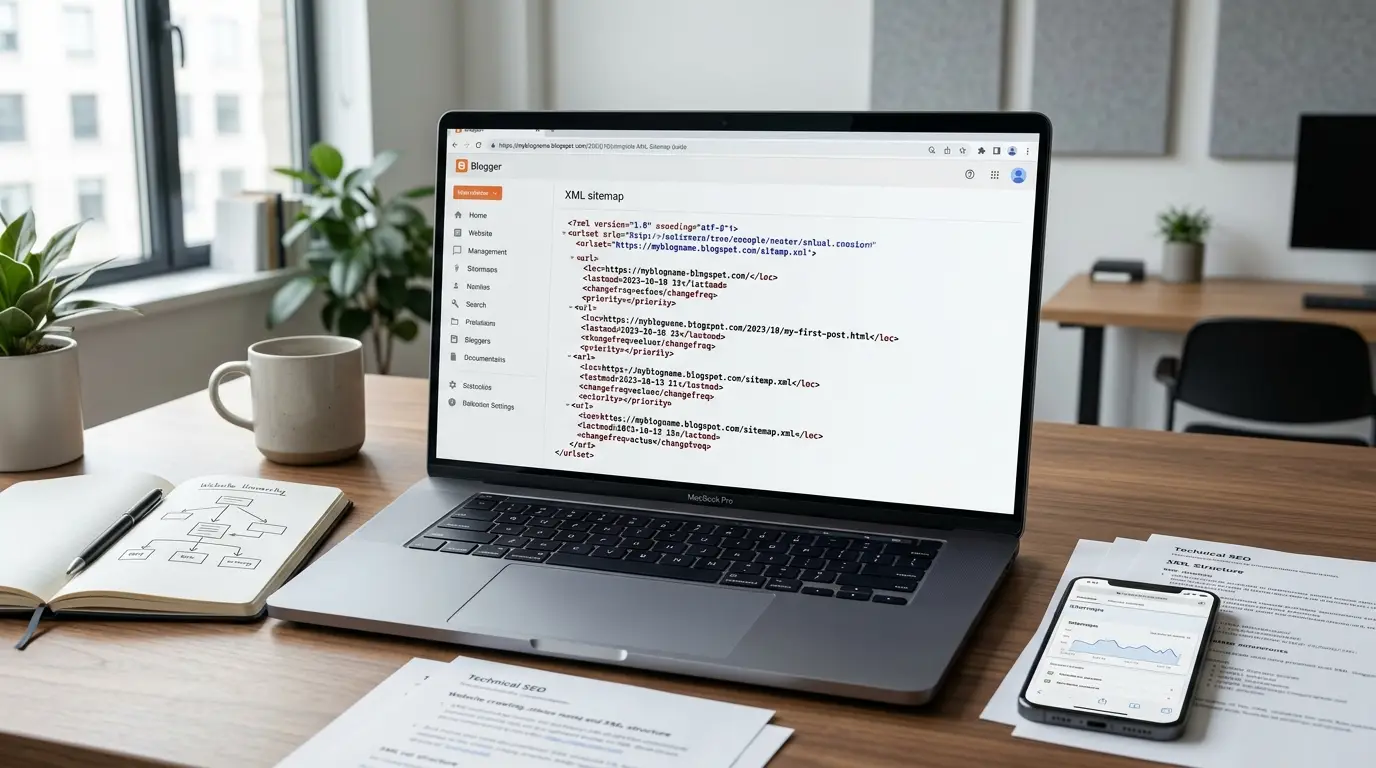
If you want to Generate Sitemap For Blogger, you usually do not need to create an XML file manually. Blogger handles much of the sitemap generation automatically, which means the first step in learning How To Generate Sitemap For Blogger is to check whether Blogger has already created the sitemap for your blog. For most Blogger websites, the standard sitemap is automatically available through the blog’s sitemap function.
This makes Blogger different from platforms where website owners need to install a plugin or manually generate an XML file. If you are searching for How To Create XML Sitemap For Blogger, the most important thing to understand is that manually creating a separate sitemap is generally unnecessary when Blogger’s native sitemap is working correctly. For most websites, the Best Sitemap For Blogger is therefore the automatically generated sitemap provided by the platform.
For bloggers and businesses in Egypt, this automated approach can save considerable time. Instead of updating an XML file every time a new article is published, Blogger can manage the sitemap automatically. Whether you operate a personal blog, business blog, educational website, publishing website, or content-focused website, checking the native Blogger sitemap should be your first step before considering any external solution.
How to Generate Sitemap for Blogger: The Direct Answer
The easiest way to Generate Sitemap For Blogger is to use Blogger’s automatically generated sitemap instead of creating a new one manually. Start by identifying the main public domain of your Blogger website and then check its sitemap file using the standard sitemap path.
The basic process is:
- Open your Blogger website.
- Identify the exact public domain.
- Add the sitemap path to the domain.
- Open the sitemap in your browser.
- Confirm that the sitemap loads correctly.
- Check whether it contains URLs from your Blogger website.
- Make sure the sitemap is publicly accessible.
- Use the sitemap in your search-engine setup if required.
The standard sitemap path is generally Sitemap.xml.
For example, a Blogger website using a Blogspot domain would normally have a sitemap associated with its public blog domain. A Blogger website using a custom domain should be checked using the current public domain rather than automatically relying on its original Blogspot address.
The important point is simple: Do Not Generate A Second Sitemap Before Checking The One Blogger Already Provides.
How to Generate Sitemap for Blogger: Find Your Correct Sitemap
When learning How To Generate Sitemap For Blogger, finding the correct domain is just as important as finding the sitemap itself. Blogger websites can use either a Blogspot address or a custom domain, and the sitemap should correspond to the public version of the website.
Before checking your sitemap, determine:
- The domain visitors currently use.
- Whether the website uses a custom domain.
- Whether HTTPS is enabled.
- Whether the domain uses a www or non-www version.
- Whether the old Blogspot address redirects to the current domain.
- Whether the current domain loads correctly.
Once the correct domain has been identified, check the standard sitemap path.
A typical Blogger sitemap uses:
Sitemap.xml
The important thing is not to copy a sitemap address from another Blogger website. Every website has its own sitemap associated with its own domain.
If your business operates in Egypt and uses a custom domain for branding, always make sure you are checking the sitemap associated with the domain that represents the actual public website.
How to Generate Sitemap for Blogger: Step-by-Step Guide
If your goal is to understand How To Generate Sitemap For Blogger without unnecessary tools, follow these steps.
Step 1: Open Your Blogger Website
Visit the public version of your Blogger website and confirm that the homepage loads correctly.
Do not start with an online sitemap generator. First determine whether Blogger’s own sitemap is already available.
Step 2: Identify the Public Domain
Look at the website address in your browser.
Your blog may use:
- A Blogspot domain.
- A custom domain.
- A www version.
- A non-www version.
Use the domain that represents the public website.
Step 3: Check the Native Sitemap
Add the standard sitemap path to your domain.
The important sitemap filename is:
Sitemap.xml
This is the first sitemap resource you should check when researching How To Generate Sitemap For Blogger.
Step 4: Open the Sitemap
Open the sitemap directly in your browser.
A functioning sitemap should display XML or sitemap-related content rather than displaying the normal Blogger homepage.
Step 5: Check the URLs
Review the sitemap and make sure the URLs belong to your Blogger website.
Look for:
- Your domain.
- Blogger post URLs.
- Relevant published content.
- Properly formatted URLs.
Step 6: Confirm Public Accessibility
The sitemap should be accessible without requiring a login or special permission.
Step 7: Avoid Unnecessary Changes
If the sitemap works correctly, there is usually no reason to replace it with a manually generated XML sitemap.
This approach is both simpler and easier to maintain.
How to Create XML Sitemap for Blogger: Do You Need to Build One?
If you are searching for How To Create XML Sitemap For Blogger, you may assume that you need to write XML code yourself. In most cases, you do not.
Blogger is a hosted publishing platform, and it provides sitemap functionality automatically. This means that creating a second XML sitemap manually can introduce unnecessary work.
A manually created sitemap requires you to think about:
- Which URLs should be included.
- Which URLs have been removed.
- Which URLs have changed.
- Which new posts have been published.
- Whether old URLs are still valid.
- Whether the sitemap remains updated.
- Whether the XML structure is valid.
For a normal Blogger blog, this maintenance is unnecessary when the native sitemap already handles the site’s published content.
The practical answer to How To Create XML Sitemap For Blogger is therefore to check the native sitemap first and only consider a custom XML sitemap when there is a specific technical requirement.
How to Create XML Sitemap for Blogger Manually
There are situations where website owners may want to understand manual XML sitemap creation. A basic XML sitemap contains URL information in a structured format.
However, manually creating a sitemap for Blogger should not be confused with simply creating a text file containing a list of pages.
A proper XML sitemap must follow an appropriate sitemap structure, and the URLs should represent the pages that search engines are expected to discover.
For a simple example, the structure may conceptually include:
- An XML declaration.
- A sitemap URL-set element.
- Individual URL elements.
- Location information for each URL.
However, manually creating this structure does not automatically make it better than Blogger’s native sitemap.
The main disadvantage is maintenance. If you publish 100 new articles, a manually managed sitemap may need to be updated to reflect those changes. Blogger’s native sitemap approach is designed to reduce that administrative burden.
Therefore, when evaluating How To Create XML Sitemap For Blogger, the key question should not be “Can I create one?” but rather “Do I actually need to create another one?”
What Is the Best Sitemap for Blogger?
The Best Sitemap For Blogger is normally the native sitemap automatically provided by Blogger.
This is because the native approach offers the combination that most Blogger websites actually need:
- Automatic management.
- Minimal maintenance.
- Simple implementation.
- Compatibility with the Blogger platform.
- No need to manually update every new post.
- No need to depend on an additional sitemap generator.
A third-party solution can sometimes provide additional functionality, but additional functionality does not automatically mean better SEO.
The Best Sitemap For Blogger should be the solution that accurately represents your Blogger content while creating the least unnecessary technical complexity.
Blogger Sitemap Comparison
| Blogger Sitemap Option | How It Works | Best For | Maintenance | Main Advantage | Limitation |
| Native Blogger Sitemap | Blogger automatically manages sitemap resources | Most Blogger blogs | Very low | Simple and automated | Limited customization |
| Blogger Page Sitemap | Provides sitemap information for relevant static pages | Blogs with important static pages | Very low | Supports page discovery | Separate sitemap resource |
| Manually Created XML Sitemap | Website owner creates and maintains XML URLs | Special technical cases | High | Greater control | Requires ongoing maintenance |
| Third-Party Sitemap Solution | External system generates sitemap resources | Advanced setups | Medium to high | Additional functionality | More configuration |
| Custom Sitemap System | Sitemap is generated through a custom process | Unusual technical environments | High | Maximum flexibility | Usually unnecessary for Blogger |
For most Blogger websites, the native approach is the most sensible choice. A custom solution should solve a real technical problem rather than simply provide another sitemap because it appears more advanced.
How to Generate Sitemap for Blogger Using the Native Approach
If you want to Generate Sitemap For Blogger using the simplest possible method, there are no complicated generation steps.
The native approach can be understood as a process:
- Publish Content
- Blogger Manages Sitemap Resources
- Search Engines Can Discover Sitemap Information
- Search Engines Decide What To Crawl And Index
This is important because a sitemap does not directly control rankings.
A sitemap helps search engines discover URLs, but it does not guarantee that every URL will be crawled or indexed. Therefore, publishing a new Blogger article does not mean that the article will immediately appear in search results simply because it is represented by a sitemap.
For a successful Blogger SEO strategy, the sitemap should work alongside:
- Internal linking.
- Quality content.
- Crawlable pages.
- Proper website structure.
- Useful navigation.
- Appropriate canonical signals.
- Good page experience.
How to Create XML Sitemap for Blogger Pages
When researching How To Create XML Sitemap For Blogger, it is important to understand that Blogger can provide different sitemap resources for different types of content.
The primary sitemap most Blogger users think about is the standard Sitemap.xml resource associated with blog content.
Blogger can also provide a separate sitemap resource for static pages, commonly associated with Sitemap-pages.xml.
Static Blogger pages may include:
- About pages.
- Contact pages.
- Service pages.
- Important informational pages.
- Other standalone Blogger pages.
You should not automatically create another manual sitemap simply because your website contains static pages.
Instead, determine whether Blogger’s existing sitemap resources already cover the content you need search engines to discover.
This distinction is especially useful for business Blogger websites where posts and static business pages may have different SEO purposes.
What Makes the Best Sitemap for Blogger?
Understanding the Best Sitemap For Blogger requires looking beyond the word “XML.” A technically valid XML file is not automatically the best solution for every Blogger website.
A suitable sitemap solution should ideally provide:
Automation
The sitemap should be updated without requiring manual work every time new content is published.
Accuracy
The sitemap should represent URLs that actually belong to the website.
Accessibility
Search engines should be able to access the sitemap publicly.
Low Maintenance
A blog owner should not need to repeatedly edit files just to keep the sitemap current.
Platform Compatibility
The sitemap should work appropriately with Blogger’s architecture.
Scalability
The solution should remain practical as the blog grows.
For these reasons, Blogger’s native sitemap is generally the preferred option for ordinary Blogger websites.
Shopify SEO Expert: When a Blogger Business Changes Platforms
A Shopify SEO Expert can help businesses that eventually move from Blogger to an e-commerce platform where SEO architecture, product URLs, collections, redirects, canonical signals, and sitemap management operate differently. The important consideration is to evaluate the entire migration and technical structure rather than assuming that the sitemap alone determines search performance.
Blogger Sitemap for Large Blogs
A Blogger Sitemap For Large Blogs requires more attention as the amount of published content increases.
Large websites can contain thousands or even tens of thousands of URLs, and search engines have technical limits for individual sitemap files. Google recommends splitting very large sitemap files when they exceed the supported limits and using sitemap index structures when necessary.
However, a large Blogger blog should not automatically replace its native sitemap with a custom sitemap.
Instead, investigate the actual situation.
Consider:
- How many posts are published?
- Are all important posts publicly accessible?
- Does the native sitemap load?
- Are new posts being discovered?
- Are there crawling restrictions?
- Are important pages internally linked?
- Are there indexing problems unrelated to the sitemap?
- Is Search Console reporting a specific sitemap issue?
The number of articles alone is not enough to justify a custom sitemap system.
Is a Sitemap Index the Best Sitemap for Blogger?
A sitemap index can become relevant when a website needs to organize multiple sitemap files.
However, a sitemap index should not automatically be considered the Best Sitemap For Blogger simply because it sounds more advanced.
The appropriate structure depends on the number of URLs and how Blogger provides sitemap resources for the specific blog.
For a normal Blogger website, the native sitemap remains the first solution to investigate.
For a very large website, the technical situation should be evaluated before adding additional sitemap resources.
The general principle is:
- Simple Blogger Blog : Native Sitemap
- Large Sitemap Inventory : Evaluate Sitemap Splitting Or Indexing Requirements
- Special Technical Requirements : Consider A Custom Solution
The goal should always be accurate URL discovery with minimum unnecessary complexity.
Technical SEO Services for Blogger Sitemap Problems
Professional Technical SEO Services can be useful when a Blogger sitemap appears to work but search engines still have difficulty discovering or processing important content. A broader technical review can investigate crawling, indexing, canonical URLs, redirects, robots directives, internal linking, URL accessibility, and other technical signals instead of treating the sitemap as an isolated problem.
How to Verify a Blogger Sitemap
After you Generate Sitemap For Blogger, verification should be the next step.
You can perform a basic manual check without installing specialized software.
1. Open the Sitemap
Open your Blogger sitemap using the standard sitemap filename.
2. Check the Response
Make sure the sitemap loads rather than returning an error.
3. Check the Domain
Make sure the URLs inside the sitemap belong to the correct Blogger website.
4. Check the URL Format
Blogger post URLs should appear as legitimate URLs associated with your website.
5. Check Published Content
Look for evidence that your published Blogger content is being represented appropriately.
6. Check Accessibility
The sitemap should be publicly accessible to search-engine crawlers.
7. Avoid Assuming Indexing
A URL appearing in the sitemap does not mean that Google must index it.
This last point is extremely important. Sitemap submission is primarily a discovery signal. Search engines still make independent decisions about crawling, indexing, and ranking.
Blogger Sitemap Not Working: Troubleshooting Guide
If your Blogger Sitemap Not Working, the first mistake to avoid is immediately creating another sitemap.
Start by checking the existing setup.
| Problem | What to Check First | What It May Mean | What to Do |
| Sitemap returns an error | Domain and sitemap path | Incorrect sitemap address | Confirm the public domain |
| Sitemap does not load | Website accessibility | Domain or configuration problem | Check whether the main website works |
| Sitemap shows unexpected content | Domain configuration | Wrong domain or sitemap | Verify the domain |
| Sitemap does not show all posts | Published content and sitemap behavior | Not necessarily a sitemap failure | Check indexing and internal links |
| New posts are not discovered | Internal links and crawlability | Discovery delay or crawling issue | Review technical signals |
| Search Console shows limited URLs | Sitemap and indexing reports | Discovery does not equal indexing | Investigate individual URLs |
| Sitemap was submitted but results are limited | Indexing status | Sitemap is not an indexing guarantee | Review URL-level signals |
The correct troubleshooting approach is to identify the actual problem before making technical changes.
Why Is My Blogger Sitemap Not Working?
If your Blogger Sitemap Not Working, begin with the simplest possible checks.
First, confirm that you are using the correct public domain. A custom-domain Blogger website should be checked using its current public domain rather than automatically relying on an old Blogspot address.
Next, verify that the sitemap filename is correct.
Then check:
- HTTPS accessibility.
- Domain redirects.
- Blogger configuration.
- Custom robots settings.
- Public accessibility.
- Website availability.
- Recent domain changes.
If the main website itself is not accessible correctly, creating a new sitemap will not solve the underlying problem.
Blogger Sitemap URL Returning an Error
If your Blogger sitemap URL returns an error, do not immediately assume that the XML format is incorrect.
First check whether the domain is correct.
Then ask:
- Does the homepage load?
- Is HTTPS working?
- Is the domain connected correctly?
- Did you recently change domains?
- Did you modify crawling settings?
- Are you using the correct sitemap filename?
- Does the error occur consistently?
If the website recently moved to a custom domain, domain configuration should be checked before attempting to build a replacement sitemap.
Blogger Sitemap Not Showing All Posts
If your Blogger Sitemap Not Working because you believe it is not showing every post, remember that sitemap content and search indexing are different concepts.
Before changing anything, check whether the missing article:
- Is published.
- Is publicly accessible.
- Has a valid URL.
- Has not been deleted.
- Is not blocked.
- Is not redirected unexpectedly.
- Has appropriate internal links.
- Is intended to be indexed.
A sitemap should not be treated as a complete export of every URL that has ever existed on a Blogger website.
The more important question is whether important, indexable content can be discovered and crawled effectively.
Why Is Google Not Discovering New Blogger Posts?
A working sitemap does not guarantee instant discovery or indexing.
If Google is not discovering new Blogger content, examine the entire website rather than focusing only on the sitemap.
Check:
- Internal links from existing pages.
- Navigation.
- Content quality.
- Page accessibility.
- Robots restrictions.
- Canonical signals.
- Website history.
- Publishing frequency.
- Technical errors.
A new article may require time before search engines crawl and process it.
This means that repeatedly submitting the same sitemap is unlikely to solve every indexing problem.
Sitemap Submitted but Showing Limited Discovered URLs
A Blogger sitemap can be successfully processed while the number of discovered or indexed URLs remains lower than expected.
This can happen because sitemap submission is not the same as indexing.
Search engines evaluate URLs independently based on multiple signals.
For example, a blog may contain hundreds of published articles, but some pages may not be indexed because they are:
- Low-value.
- Duplicative.
- Poorly linked.
- Temporarily unavailable.
- Blocked from crawling.
- Canonicalized elsewhere.
- Not considered suitable for indexing.
Therefore, when Search Console reports fewer discovered URLs than expected, investigate individual URLs instead of automatically replacing the sitemap.
Content Creation Agency for a Blogger SEO Strategy
A Content Creation Agency can help Blogger websites build a structured publishing strategy around search intent, topic clusters, supporting articles, content updates, and useful informational pages. A strong content strategy complements the sitemap because search engines need more than a list of URLs to determine which pages are valuable and relevant to users.
Incorrect Sitemap URL: What Should You Check?
An incorrect sitemap URL is one of the easiest Blogger problems to fix.
If you are learning How To Generate Sitemap For Blogger, confirm these details:
- You are using the current public domain.
- The domain is spelled correctly.
- HTTPS is used when appropriate.
- The sitemap filename is correct.
- You are not using a sitemap belonging to another website.
- You have not confused a feed URL with the sitemap.
- You are not relying on an outdated domain.
If your website uses a custom domain, the sitemap should be evaluated in the context of that domain.
Building Backlinks for E-Commerce and Blogger Businesses
Building Backlinks For E-Commerce can become relevant when a Blogger website supports an online store, commercial website, or product-focused business. While backlinks can contribute to broader SEO authority and discovery, they should complement—not replace—technical accessibility, internal linking, useful content, and an appropriate sitemap structure.
How to Generate Sitemap for Blogger Without Over-Optimizing
When you Generate Sitemap For Blogger, avoid making the process unnecessarily complicated.
Common mistakes include:
- Installing multiple sitemap generators.
- Creating duplicate sitemap files.
- Adding irrelevant URLs.
- Editing robots.txt without understanding it.
- Assuming every URL must be indexed.
- Repeatedly submitting the same sitemap.
- Replacing a working native sitemap without a technical reason.
- Following outdated Blogger tutorials without checking current behavior.
The best technical SEO setup is not necessarily the one with the most files.
For most Blogger websites, simplicity is an advantage.

Modern Website Design and Blogger SEO
Modern Website Design can support Blogger SEO when it improves navigation, readability, mobile usability, page accessibility, and internal linking. A well-structured design makes important content easier for visitors to find and can also create a stronger environment for search-engine crawling and discovery. The sitemap should therefore be considered one component of a broader website structure rather than the complete SEO solution.
How to Generate Sitemap for Blogger: Best Practices Checklist
Before finishing your How To Generate Sitemap For Blogger setup, use this checklist:
Domain
- Confirm the correct public domain.
- Check whether the site uses Blogspot or a custom domain.
- Confirm HTTPS works correctly.
- Check redirects between domain versions.
Sitemap
- Check the native sitemap.
- Use the standard sitemap filename.
- Confirm that the sitemap loads.
- Check that the URLs belong to your website.
- Confirm that the sitemap is publicly accessible.
Blogger Configuration
- Review custom crawling settings if you have changed them.
- Avoid unnecessary robots.txt modifications.
- Do not add random sitemap resources.
- Avoid duplicate sitemap solutions.
Content
- Make sure important posts are published.
- Make important content easy to reach through internal links.
- Avoid relying on the sitemap as the only discovery method.
- Keep content useful and relevant.
Search Engines
- Monitor sitemap processing.
- Check indexing reports.
- Investigate individual URLs when necessary.
- Remember that sitemap submission does not guarantee indexing.
What Is the Best Sitemap for Blogger for Different Blog Sizes?
The Best Sitemap For Blogger can be evaluated according to the size and complexity of your website.
| Blog Type | Recommended Approach | Why |
| Small Blogger blog | Native sitemap | Simple and automated |
| Personal blog | Native sitemap | Minimal maintenance |
| Business blog | Native sitemap | Easy to manage |
| Content marketing blog | Native sitemap | Supports continuous publishing |
| Large Blogger blog | Native sitemap first, then evaluate technical requirements | Avoid unnecessary complexity |
| Blog with special technical requirements | Evaluate custom solution | Greater control may be necessary |
| Blog experiencing sitemap errors | Troubleshoot native sitemap first | Replacement may not solve the actual issue |
The central principle remains the same: use Blogger’s native sitemap unless there is a clear reason to do something different.
Frequently Asked Questions
How do I generate a sitemap for Blogger?
To Generate Sitemap For Blogger, you normally do not need to manually create an XML file. Blogger automatically provides sitemap functionality. Start by identifying your current public Blogger domain and checking the standard sitemap filename. Then verify that the sitemap loads publicly and contains URLs associated with your blog.
Does Blogger automatically create a sitemap?
Yes. Blogger automatically provides sitemap functionality for its blogs. This is why most Blogger users do not need to install a separate sitemap generator or manually update an XML sitemap whenever they publish a new article.
What is the XML sitemap URL for Blogger?
The standard Blogger sitemap uses the Sitemap.xml filename. The complete sitemap address depends on the public domain of your Blogger website. If you use a custom domain, check the sitemap associated with that current public domain.
What is the best sitemap for Blogger?
The Best Sitemap For Blogger is normally Blogger’s native, automatically generated sitemap. It is easy to maintain, requires little manual work, and is designed for the Blogger platform. A third-party or manually created sitemap should only be considered when there is a specific technical reason.
Can I create a custom sitemap?
Yes, you can technically create a custom XML sitemap, but doing so is usually unnecessary for a standard Blogger website. A custom sitemap introduces additional maintenance because URLs may need to be updated as content is published, changed, redirected, or removed.
Why is my Blogger sitemap not showing all posts?
If your Blogger Sitemap Not Working or appears to be missing posts, first check whether the posts are published and publicly accessible. Then review their URLs, crawling accessibility, canonical signals, internal links, and indexing status. A sitemap does not necessarily represent every URL that has ever existed, and search engines do not guarantee that every URL in a sitemap will be indexed.
Should I use a third-party sitemap generator for Blogger?
Usually, you should not use one if Blogger’s native sitemap is already working correctly. A third-party generator can add unnecessary configuration and maintenance. First identify the specific problem you are trying to solve before replacing Blogger’s native sitemap.
Does submitting a Blogger sitemap guarantee indexing?
No. A sitemap can help search engines discover URLs, but it does not guarantee crawling, indexing, or rankings. Search engines evaluate pages using multiple signals, so a sitemap should be treated as one part of a complete SEO strategy.
Should large Blogger blogs use a sitemap index?
Large websites may need multiple sitemap resources when technical sitemap limits are reached. However, a large number of Blogger posts alone does not automatically mean that you need to build a custom sitemap index. Check the native Blogger sitemap behavior and the actual crawling requirements first.
Can I have more than one sitemap for Blogger?
Blogger can provide different sitemap resources for different content types, including its primary sitemap and a separate resource associated with static pages. You should avoid creating duplicate sitemap systems unless you have a specific technical requirement.
Is sitemap.xml enough for Blogger SEO?
A working sitemap is useful, but it is not enough by itself for successful Blogger SEO. Strong internal linking, accessible content, useful pages, good site structure, appropriate crawling settings, and high-quality content all contribute to search visibility.
How to Generate Sitemap for Blogger Correctly
If you are trying to Generate Sitemap For Blogger, the most important thing to remember is that you usually do not need to generate one manually. Blogger already handles much of the sitemap process automatically.
Start by identifying your current public Blogger domain and checking its standard Sitemap.xml resource. Confirm that the sitemap loads correctly, that it is publicly accessible, and that the URLs belong to your website.
If you were searching for How To Create XML Sitemap For Blogger, do not assume that manually building another XML file will improve SEO. For most Blogger websites, manual sitemap creation simply adds maintenance without providing a meaningful advantage.
When choosing the Best Sitemap For Blogger, prioritize accuracy, automation, accessibility, simplicity, and compatibility with the Blogger platform.
For large Blogger blogs, investigate sitemap size, multiple sitemap resources, crawling, internal linking, and indexing before deciding that a custom sitemap is necessary.
Most importantly, remember that a sitemap is not a guarantee of crawling or indexing. It is part of a larger technical SEO system. A properly configured Blogger sitemap should work together with useful content, strong internal linking, accessible pages, and a clear website structure.
If you are targeting users in Egypt, this same principle applies whether your Blogger content is written in English, Arabic, or both. The sitemap infrastructure should remain technically sound while your content and SEO strategy address the search intent of your Egyptian audience.
Need Professional Help?
Need help checking your Blogger sitemap or improving how search engines discover your blog posts? Contact Be One for professional technical SEO support and sitemap optimization.


