

Yoast SEO Explained: The Complete Guide to Installing, Setting Up, and Using Yoast in WordPress

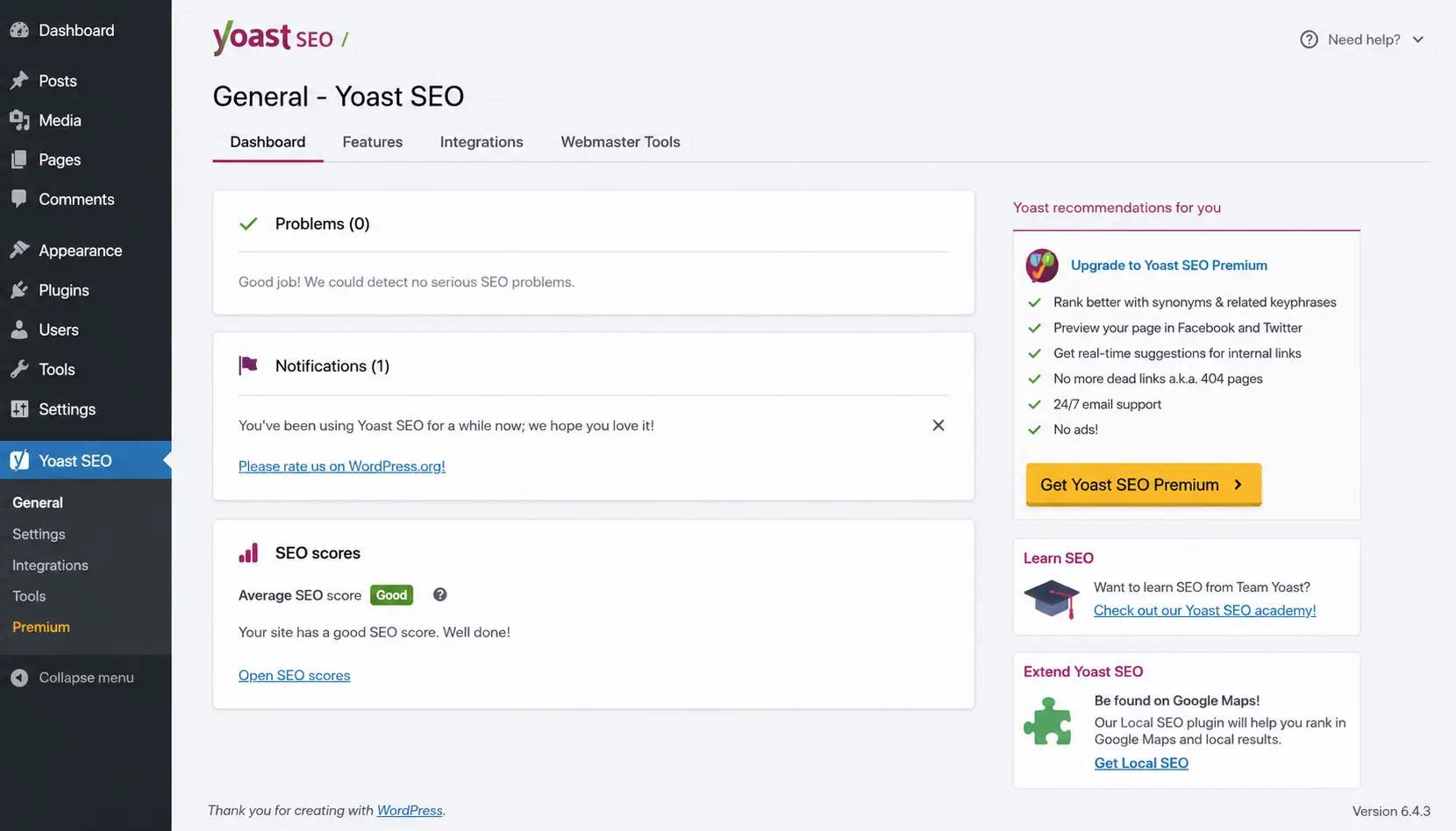
If you are wondering what Yoast SEO is and what it does, it is a WordPress plugin that helps you manage several important SEO elements on your website, such as SEO titles, meta descriptions, Canonical URLs, XML Sitemap, structured data, Open Graph, and content readability analysis. Yoast also provides content analysis while you write to help you identify some SEO and readability issues.
However, it is important to understand its role correctly: Yoast SEO is a tool that helps you implement and review some SEO basics. It is not a replacement for a complete SEO strategy. Getting a green score inside the plugin does not mean that the page will automatically rank at the top of Google.
What Is Yoast SEO?
Yoast SEO is one of the most popular SEO plugins for WordPress. It adds a set of tools that help website owners and writers manage important search engine elements directly from WordPress.
It can be used for:
- Posts.
- Pages.
- Categories.
- Tags.
- Products.
- Some custom content types.
Through Yoast settings, you can control several website features, including SEO Analysis, Readability Analysis, XML Sitemaps, Schema Framework, Open Graph, X Cards, and more.
What Does Yoast Add to WordPress?
Yoast can help you:
- Write an SEO Title.
- Write a Meta Description.
- Set a Focus Keyphrase.
- Analyze keyword usage.
- Review readability.
- Manage some indexing settings.
- Create an XML Sitemap.
- Manage Canonical URLs.
- Add appropriate structured data.
- Set up Breadcrumbs.
- Control social sharing data.
- Improve some WooCommerce elements when using WooCommerce SEO integration.
What Can Yoast Not Do on Its Own?
Yoast cannot guarantee:
- Top rankings on Google.
- Strong Backlinks.
- Choosing all the right keywords for your business.
- Automatically writing useful content for you.
- Solving every technical issue on your website.
- Guaranteeing that every page will be indexed.
- Making your website better than competitors simply by installing it.
Therefore, it is better to view Yoast as one tool within a larger SEO system.
How Do You Install Yoast SEO in WordPress?
If you do not already have the plugin installed, you can install it from the WordPress Dashboard in the usual way.
Go to:
Plugins → Add New Plugin
Then search for:
Yoast SEO
After that:
- Choose the official plugin.
- Click Install Now.
- Wait for the installation to finish.
- Click Activate.
After activation, Yoast options will appear in your WordPress Dashboard.
Note: Some menu names or settings may vary depending on the Yoast SEO version and plan you are using. Therefore, rely on the interface available in your version instead of assuming that every user sees exactly the same options.
What Should You Do After Activating Yoast SEO?
After activation, you will find the Yoast SEO section in the Dashboard.
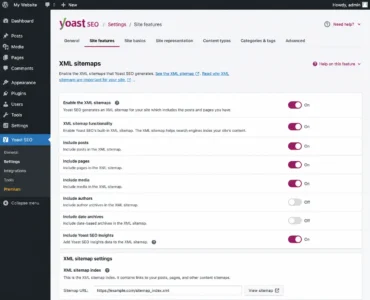
In current versions, the settings area includes sections such as:
- General.
- Site features.
- Site basics.
- Site representation.
- Content types.
- Categories & tags.
- Advanced.
- Integrations.
Yoast also provides First-time configuration to help users set up the basic website information.
Do You Need to Change All Yoast Settings?
No.
This is one of the most important points for beginners.
Having dozens of settings does not mean that you need to change all of them.
The better approach is:
Change what you understand, and leave appropriate settings as they are when there is no reason to modify them.
Changing indexing, Canonical, or content-type settings without understanding them can cause bigger problems than the one you are trying to solve.
What Are the Most Important Yoast SEO Settings?
| Setting | Function | Should You Change It? | Common Mistake |
|---|---|---|---|
| SEO Analysis | Analyzes SEO elements in the content | Usually keep it enabled | Trying to make every indicator green |
| Readability Analysis | Analyzes readability | Usually useful | Treating it as a fixed set of rules |
| Focus Keyphrase | Defines the main phrase | Yes, when optimizing content | Keyword stuffing |
| SEO Title | Page title shown in search results | Usually yes | Writing an unattractive title |
| Meta Description | Page description in search results | Usually yes | Keyword stuffing |
| XML Sitemap | Creates an XML Sitemap | Usually useful | Creating multiple Sitemaps without a reason |
| Canonical | Defines the main version of a URL | Depends on the situation | Changing it without understanding it |
| Robots/Indexing | Controls content visibility to search engines | When needed | Setting important pages to noindex |
| Schema | Helps search engines understand content | Usually leave appropriate settings | Adding data that does not represent the page |
| Open Graph | Improves social sharing | Useful | Duplicating the same function with another plugin |
| Breadcrumbs | Creates navigation paths | Depends on the theme | Activating more than one Breadcrumb system |
How Do You Use Yoast SEO Inside a Post?
When you open a post in WordPress, you will find a Yoast SEO panel or Sidebar.
Through it, you can review several elements.
What Is the Focus Keyphrase in Yoast?
The Focus Keyphrase is the main phrase you want the article to be associated with.
For example, if the article is about:
WordPress Plugin Localization
this can be the Focus Keyphrase.
After entering it, Yoast uses the phrase to analyze several page elements and provides feedback about how it is being used.
However, the Focus Keyphrase is not an instruction to the search engine to rank the page for that keyword.
It is simply an analytical signal that helps you while writing the content.
How Do You Write an SEO Title Using Yoast?
An SEO Title is the title that search engines may use for the page in search results.
You can write a title that is different from the title displayed inside the page if that provides a better search result.
Example:
Article Title:
Yoast SEO Explained for Beginners
SEO Title:
Yoast SEO Explained: How to Set Up and Use It in WordPress
When writing the title, try to make it:
- Clear.
- Related to the page content.
- Attractive.
- Free from keyword stuffing.
Do not make the goal adding as many words as possible.
What Is the Meta Description in Yoast?
The Meta Description is a short description of the page.
It can provide a clear idea of the content and encourage the searcher to click the result.
Example:
Learn how to use Yoast SEO in WordPress, from setting up the plugin and writing SEO Titles and Meta Descriptions to Sitemap, Schema, and Canonical.
However, keep in mind that writing a Meta Description in Yoast does not mean that Google will always display it exactly as written. The search engine may choose a different snippet depending on the user’s query and the page content.
What Is Google Preview in Yoast?
Yoast allows you to preview how the page information may appear in search results and some types of social sharing before publishing the content.
You can review:
- The title.
- The URL.
- The description.
However, the preview is not a promise of the final appearance that Google will display.
Therefore, do not treat it as a screenshot of the future search result.
What Do the Green, Orange, and Red Yoast Colors Mean?
Yoast uses a visual system to provide feedback.
You may see:
- Green: Good.
- Orange: Needs improvement.
- Red: A problem or an area that needs attention.
- Gray: There is not enough data for some analyses, such as when a Focus Keyphrase has not been set.
Yoast analyzes elements such as keyword usage, links, title, description, and others. It also provides a separate readability analysis.
Do You Need to Make All Yoast Indicators Green?
No.
This is one of the most common misconceptions.
If changing a sentence only to get a green indicator makes the text worse, do not do it.
For example, do not repeat:
Yoast SEO
in every paragraph simply because the tool indicates that the phrase is not used enough.
The priority is:
Content Quality + Search Intent + Page Clarity + User Experience + Appropriate Technical Optimization
Yoast itself presents the analysis as feedback that helps you improve content, not as a ranking guarantee.
How Do You Use Readability Analysis in Yoast?
The readability analysis reviews different elements of the text, such as:
- Sentence length.
- Paragraph length.
- Use of transition words.
- Some aspects of passive voice.
- Readability.
Many of these analyses are also available in Arabic, although some checks vary depending on the language.
Do You Need to Follow Every Recommendation?
Not necessarily.
If a text needs a long sentence to explain a complex concept, do not divide it into several unnatural sentences just to get a better score.
Use the analysis as an editing assistant, not as a replacement for human judgment.
How Do You Use Yoast for Arabic Content?
This is an important point for Arabic websites.
Yoast supports Arabic in many SEO and readability analyses, but not all checks are identical across all languages. Yoast explains that some language features are available for Arabic, including checks such as sentence and paragraph length and some keyword analyses.
Therefore, if you are writing an Arabic article, do not assume that every recommendation available in the English version will work in exactly the same way in Arabic.
How Does Yoast SEO Help With Local SEO?
If the website targets customers in a specific city or area, optimization is not limited to general keywords. It also needs attention to Local SEO. Yoast can be used as part of this strategy, especially when organizing business information and structured data that help search engines understand the type and location of the business.
Yoast Local SEO provides dedicated functions for local businesses, such as business information, opening hours, maps, and Schema, with support for websites that have multiple locations.
It is important not to confuse using Yoast for some local SEO elements with implementing a complete Local SEO strategy. A business’s visibility in local search results and Google Maps depends on several factors, not just one plugin.
How Do You Use Yoast for Internal Links?
Internal links are important for building your website structure.
Yoast can provide some feedback or tools related to links, while Premium includes additional features such as internal linking suggestions.
When writing an article, ask:
- Are there articles related to this topic?
- Is there a relevant service page?
- Is there an important category page?
- Can the reader easily move to the next related topic?
Do not add a link simply because Yoast asks you to have one.
How Do You Handle External Links?
External links can be useful when they provide a trusted source or important context for the reader.
However, you do not need to add random external links just to achieve a better score.
Ask first:
Does this link provide real value?
If the answer is yes, add it.
How Do You Use Yoast to Manage an XML Sitemap?
One of Yoast’s important technical functions is creating an XML Sitemap.
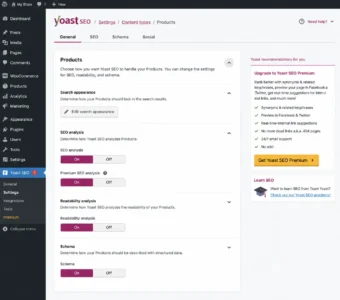
In current versions, XML Sitemaps can be managed from:
Yoast SEO → Settings → Site features
Then you can access the XML Sitemap settings within the technical features. Yoast explains that the Sitemap updates automatically when content is added or removed, and that content types set to noindex are not included in it.
Do You Need to Create a Sitemap Manually If Yoast Is Enabled?
Usually, you do not need to create a second XML Sitemap simply because you have Yoast.
If Yoast is managing the Sitemap, it is better to avoid running another system that performs the same function without a specific reason.
Having more than one plugin trying to manage the same Sitemap can create unnecessary complexity.
Does Yoast’s Sitemap Guarantee That Pages Will Be Indexed?
No.
A Sitemap helps search engines discover and crawl URLs, but it does not mean that every URL will be indexed.
A page may not be indexed because of:
- Content quality.
- A different Canonical.
noindex.- Technical problems.
- Duplicate content.
- Other factors related to the search engine’s systems.
Therefore:
Sitemap ≠ Indexing Guarantee
What Is Meta Robots in Yoast?
Meta Robots helps define indexing instructions for certain types of content.
Examples include:
index
Allows the page to be indexed.
noindex
Requests that the page not be included in search results.
This requires caution.
Do not set:
noindex
on an important page simply because Yoast provides the option.
Before changing indexing settings, ask:
Do I want this page to appear on Google?
If the answer is yes, do not change the indexing settings without a clear reason.
What Is the Canonical URL in Yoast?
Canonical helps identify the main version of a page when similar URLs or multiple versions of the content exist.
For example, if more than one URL leads to similar content, a Canonical can be used to indicate the preferred version.
However, Canonical is not a solution for every Duplicate Content problem.
When Do You Not Need to Change the Canonical?
For most normal pages where there is no clear issue, it is better to leave the default Canonical set by Yoast.
Manual changes make more sense when there is a clear technical situation that requires them.
What Is Schema in Yoast SEO?
Schema is structured data that helps search engines understand the nature of the content and the relationships between website elements.
In current Yoast settings, the Schema Framework builds a connected Schema graph for the website, and Yoast recommends keeping this framework enabled.
Yoast can handle different types of information related to:
- The website.
- Articles.
- Pages.
- People.
- Organizations.
- Breadcrumbs.
- Other content types.
Does Schema Guarantee Rich Results?
No.
Having correct Structured Data does not mean that Google will necessarily display a Rich Result.
Structured Data helps Google understand the content, but the appearance of rich results depends on other factors and Google’s requirements for each type.
What Are Breadcrumbs in Yoast?
Breadcrumbs are navigation paths that show where a page is located within the website structure.
Example:
Home → WordPress → WordPress Plugins → Yoast SEO
They are especially useful for websites that contain:
- Multiple categories.
- Many sections.
- Large archives.
- Multiple levels of content.
However, enabling Breadcrumbs in Yoast does not necessarily mean they will automatically appear where you want them to. The theme may need to support them or the Breadcrumbs may need to be added to the website.
find out: best GEO agency in 2026
What Are Open Graph and Social Metadata?
Social Metadata helps control the information that appears when a page is shared on social platforms.
It can include:
- Share title.
- Description.
- Image.
Yoast includes settings for Open Graph and X Card data within Site Features.
This is useful when you want articles to appear in an organized way when they are shared.
How Do You Use Yoast With WooCommerce?
If your website is an online store, you can use the Yoast WooCommerce SEO integration to add functions specifically for products.
These functions include aspects such as:
- Product Schema.
- Product data.
- Open Graph.
- Product identifiers.
- Breadcrumbs.
- Handling XML Sitemaps for WooCommerce pages.
Yoast explains that the WooCommerce SEO integration can add properties such as brand, color, material, and size to Schema when these properties exist in WooCommerce. It also excludes pages such as Cart, My Account, and Checkout from the XML Sitemap when they should not be included.
How Do You Optimize Product Pages Using Yoast?
When optimizing a product, focus on:
- Product name.
- Clear description.
- Appropriate SEO Title.
- Meta Description.
- Images.
- Alt Text.
- Unique content.
- Structured Data.
- Internal links.
- Appropriate category.
Do not make the product description simply a list of keywords.
What About Category Pages?
Category pages can be very important for online stores.
Instead of leaving them empty, you can add useful content that explains:
- The type of products.
- What the user will find.
- Differences between products.
- Important questions.
- Information that helps with choosing.
Is Yoast SEO Free?
Yes. There is a free version of Yoast SEO, as well as Yoast SEO Premium with additional features.
The available features vary depending on the plan and version, so you should not assume that every feature mentioned in older tutorials is available in the current free version.
Some additional Premium features include:
- Related keyphrases.
- Synonyms.
- Word forms.
- Internal linking suggestions.
- Some advanced content tools.
Is Yoast SEO Necessary for Every Website?
Not in the literal sense.
WordPress can work without Yoast.
However, it can be useful if you want an easy interface for managing and analyzing many SEO elements.
The important thing is not to install Yoast alongside another SEO plugin that performs the same functions without a reason.
If the website already uses another plugin to manage:
- Meta Tags.
- Sitemap.
- Canonical.
- Schema.
- Open Graph.
Adding Yoast on top of it may cause duplication or conflicts.
Can You Use Yoast With Another SEO Plugin?
Technically, you can install multiple plugins, but that does not mean it is a good choice.
If two plugins manage:
- Sitemap.
- Schema.
- Canonical.
- Meta Robots.
- Open Graph.
there may be problems in determining which tool is responsible for generating the data.
It is usually better to choose one main SEO system and avoid duplicating functions.
What Are the Common Mistakes When Using Yoast SEO?
Trying to Make Every Indicator Green
Green is not an SEO goal by itself.
Keyword Stuffing With the Focus Keyphrase
Using the keyword too much can make the content unnatural.
Changing the Canonical Without a Reason
Canonical is a technical setting, not a field that needs to be changed in every article.
Using Noindex Randomly
It can prevent important pages from appearing in search results.
Relying on Yoast Instead of an SEO Strategy
Yoast does not choose your content strategy, competition strategy, or link-building strategy.
Using More Than One Plugin for the Same Function
Especially for Sitemap, Schema, and Meta Tags.
Ignoring Content Quality
An article can get an excellent Yoast score and still be unhelpful to the searcher.
Writing for the Robot Instead of the Reader
If your sentences become unnatural because you are trying to follow every recommendation, you are using the tool incorrectly.
Does a Green Score Mean That the Article Is Optimized?
It means that the article meets a group of checks used by Yoast. It does not mean that the article is guaranteed to rank at the top.
Yoast analysis is based on a set of best practices and provides feedback about elements such as keyphrase use, headings, description, links, and others.
But real SEO depends on the bigger picture:
Search Intent + Content Quality + Technical SEO + Authority + Internal Linking + User Experience + Competition
Therefore, one article can be completely green while another article with a lower score can rank better because it is more useful and better matches the searcher’s intent.
How Do You Use Yoast Correctly?
You can follow this process:
Keyword Research → Search Intent → Content → Focus Keyphrase → SEO Title → Meta Description → Internal Links → Readability → Technical Review → Publish → Monitor
This way, Yoast becomes part of the SEO process instead of making the entire process about trying to get a green score.
Why Should You Think About Yoast During Website Design?
SEO does not start after the website design is completely finished. When working with website design companies, it is better to build an SEO-friendly website structure from the beginning, including page structure, internal links, categories, mobile compatibility, and easy access to content for search engines.
After that, Yoast can be used to manage elements such as titles, descriptions, Canonical, Schema, and XML Sitemap. Yoast documentation explains that the plugin handles several of these technical elements, including XML Sitemap, Meta Tags, Canonical URLs, and Schema.
Checklist Before Publishing an Article Using Yoast SEO
- You identified the Search Intent.
- You chose an appropriate Focus Keyphrase.
- The title is clear and attractive.
- The SEO Title is appropriate.
- The Meta Description is written.
- The content answers the searcher’s question.
- You used H2 and H3 logically.
- You added useful internal links.
- You added external links when needed.
- The images are appropriate.
- The Alt Text is appropriate.
- You reviewed Readability.
- You reviewed SEO Analysis.
- You checked the indexing settings.
- You did not change the Canonical without a reason.
- You reviewed the Preview.
- You tested the page on mobile.
FAQ: Frequently Asked Questions About Yoast SEO
What Is Yoast SEO?
It is a WordPress plugin that helps manage and analyze many SEO elements, such as SEO Title, Meta Description, Focus Keyphrase, XML Sitemap, Schema, and social sharing data.
Is Yoast SEO Free?
Yes. There is a free version, as well as Yoast SEO Premium with additional features.
Is Yoast SEO Necessary?
It is not necessary for every website, but it can be a useful tool for managing and analyzing SEO elements inside WordPress.
How Do I Use Yoast SEO?
After installing and activating it, you can use its general settings and then optimize each article or page through the Yoast SEO Sidebar, including the Focus Keyphrase, SEO Title, Meta Description, and content analysis.
Why Is the Sitemap Not Showing in Yoast?
Check that XML Sitemaps are enabled in Yoast settings, then open the website’s Sitemap. If another plugin is managing the Sitemap, check that there is no conflict between the two systems.
Does a Green Yoast Score Mean That the Article Will Rank on Google?
No. Green means that the article passes a group of Yoast checks, but it does not guarantee a specific ranking in search results.
Can Yoast Be Used With WooCommerce?
Yes. The Yoast WooCommerce SEO integration can be used to improve some aspects of products, Schema, Open Graph, Breadcrumbs, and XML Sitemap.
Does Yoast SEO Support Arabic?
Yes. Many Yoast analyses are available in Arabic, although some features vary depending on the language and plan.
Do I Need to Make All Yoast Indicators Green?
No. Use the recommendations as guidelines, while giving priority to content quality, clarity, and search intent.
Does Yoast Perform Complete SEO for a Website?
No. Yoast helps implement and review some SEO elements, but it does not replace keyword research, competitor analysis, content strategy, link building, or a complete technical review.
When Do You Need an SEO Company Instead of Relying Only on Yoast?
Yoast SEO can help you manage many optimization elements inside WordPress, but it does not perform competitor research, keyword strategy, market analysis, content development, or comprehensive performance monitoring on its own.
Therefore, if your website depends on Google as a major source of traffic, it may be useful to work with an SEO company in Egypt to develop a complete SEO strategy and then use Yoast as a supporting tool for implementing and reviewing some On-Page SEO elements inside WordPress.
This way, Yoast does not become a replacement for an SEO Specialist . Instead, it becomes part of a larger process that starts with market and keyword research and ends with measuring results and continuously improving performance.
Yoast SEO should not be reduced to a simple explanation of the colors and indicators inside the plugin. Its real value comes from understanding what each setting does and using it when there is an actual need.
Start with the basic settings, then use Yoast while writing content to review Focus Keyphrase, SEO Title, Meta Description, links, and readability. After that, move to technical elements such as XML Sitemap, Canonical, Meta Robots, Schema, and Open Graph, and do not change any technical setting without understanding its impact.
The most important rule is:
Use Yoast to support your SEO strategy, not to become your SEO strategy.
If you need help setting up Yoast SEO for a WordPress or WooCommerce website, or want to review Sitemap, Schema, Canonical, and Indexing settings and make sure there are no conflicts with other SEO plugins, the Be One team can perform a technical website review and configure the settings according to your website structure and goals.


