

Why Isn’t My Business Showing on Google? Step-by-Step Causes and Solutions

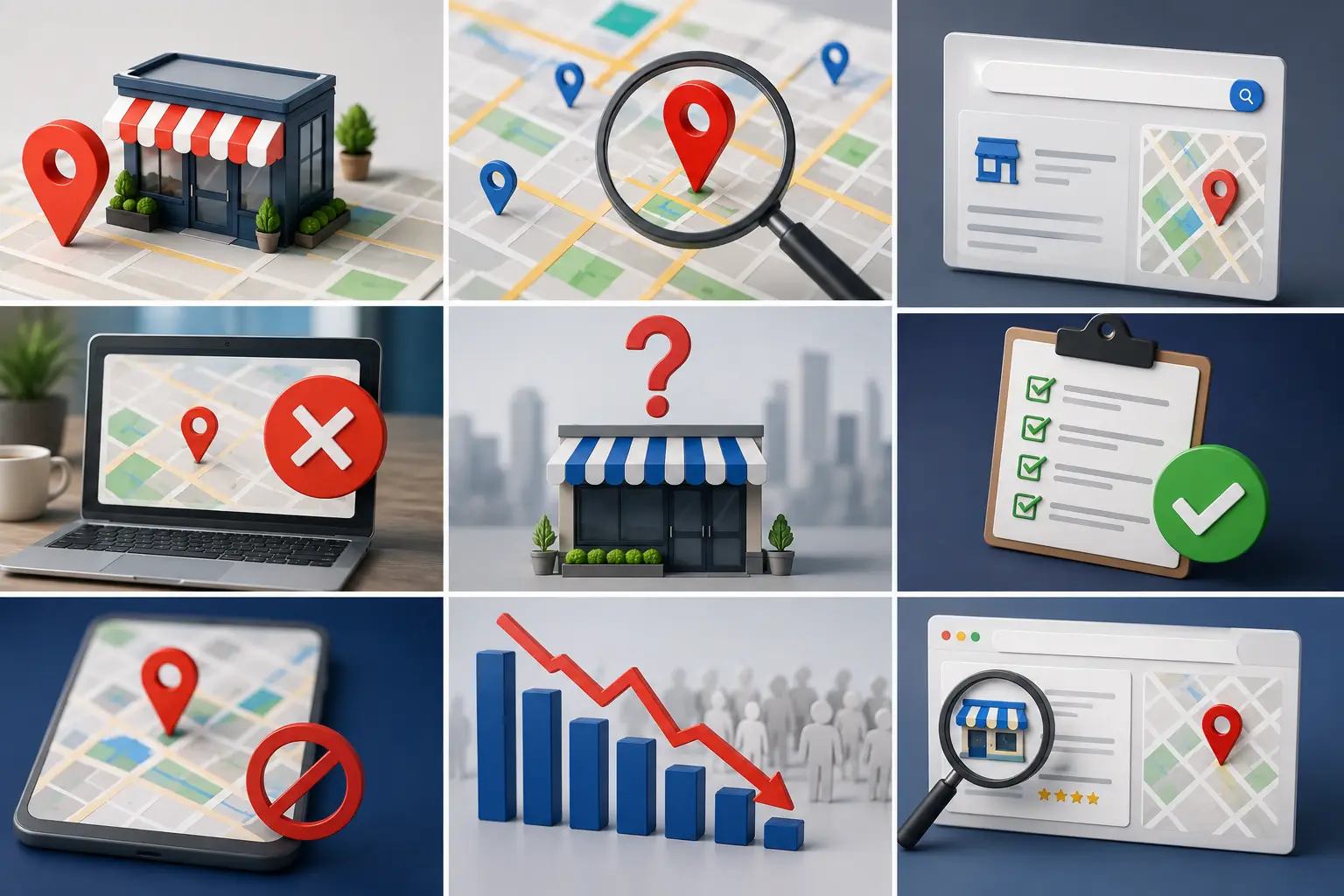
If you’re wondering why your business isn’t showing on Google even though you’ve created a Google Business Profile and added all your business information, the direct answer is that Google does not automatically display every business profile. Your business may not appear because the verification process hasn’t been completed, your business information is incomplete or inaccurate, your profile violates Google’s guidelines, you’ve selected the wrong business category, or you’re competing in a highly competitive local market. In some situations, your business is actually visible to customers but doesn’t appear to you because of your geographic location or the way you’re searching.
The good news is that most visibility issues can be identified and resolved once the real cause is diagnosed correctly. Before contacting Google Support or creating a new business profile, it’s important to understand the actual reason behind the problem because every situation requires a different solution.
How Does a Business Appear on Google?
When someone searches for a product or service, Google tries to display the businesses that best match the user’s search intent.
Your visibility depends on several ranking factors, including:
- The completeness of your Google Business Profile.
- Successful business verification.
- Accurate business information.
- Your primary business category.
- The searcher’s location.
- How relevant your business is to the search query.
- Overall profile quality.
- Local competition.
If one or more of these factors has a problem, your business visibility may be affected.
Does Not Appearing Always Mean There’s a Problem?
Not necessarily.
Sometimes your business is visible to customers but doesn’t appear to you because:
- You’re searching from a distant location.
- You’re using the wrong search keywords.
- Google is showing personalized local results.
- Your recent profile updates haven’t fully propagated yet.
For this reason, always confirm that the problem is real before trying to fix it.
How to Confirm That Your Business Really Isn’t Showing
Before assuming there’s an issue, try the following:
- Search using your complete business name.
- Search using your business name plus your city.
- Search using the main service your business provides.
- Search from another device.
- Search while signed out of your Google account.
- Ask someone in a different location to search for your business.
If your business still doesn’t appear after all these tests, there’s likely an issue that needs attention.
The Most Common Reasons Your Business Doesn’t Appear
The causes generally fall into several categories:
- Verification issues.
- Incomplete business information.
- Location-related issues.
- Google policy violations.
- Incorrect business category.
- Strong local competition.
- Temporary suspension.
- Pending profile review.
We’ll explain each one along with how to identify and solve it.
Reason #1: Your Business Hasn’t Been Verified
One of the most common reasons is that your Google Business Profile was created, but ownership verification was never completed.
Without verification, Google doesn’t fully trust the business profile enough to display it publicly.
You may notice:
- A message asking you to verify your business.
- Limited management features.
- Your business not appearing in Google Search.
How to Identify the Problem
Sign in to your Google Business Profile.
If you see messages such as:
- Verify your business
- Verification required
your profile hasn’t been fully verified.
How to Fix It
- Complete verification using Google’s available verification method.
- Wait until Google reviews your request.
- Do not create another profile for the same business.
Related Reading: How to Add a Business Location on Google Maps.
Reason #2: Your Business Information Is Incomplete
Even if your profile has been verified, missing information can reduce your visibility.
Examples include:
- No business description.
- No services listed.
- No photos.
- Missing business hours.
- No website.
- An inaccurate business category.
All of these help Google understand your business.
How to Check If Your Profile Is Incomplete
Ask yourself:
- Have I added every service?
- Have I uploaded recent photos?
- Are my business hours correct?
- Is my phone number accurate?
- Is my website current?
If any of these elements are missing, complete them as soon as possible.
Reason #3: You Selected the Wrong Business Category
Google relies heavily on your primary business category to understand your business.
If the category doesn’t accurately represent your business, your profile may fail to appear for relevant searches.
For example:
A company providing digital marketing services selects:
Business Consultant
instead of:
Marketing Agency
This makes it much harder to appear for searches related to marketing services.
How to Fix It
- Review your primary category.
- Select the category that best represents your main business activity.
- Add secondary categories for your additional services.
Avoid changing categories simply to experiment.
Reason #4: Your Business Is Too New
If you created your business profile only recently, it may not appear immediately.
Google needs time to:
- Review your information.
- Process your updates.
- Index your profile.
- Evaluate information quality.
In this situation, the best solution is simply to wait while continuing to complete your business profile.
Reason #5: Your Profile Is Under Google Review
Google may temporarily review your profile after major changes such as:
- Changing your business name.
- Updating your address.
- Changing your primary category.
- Completing reverification.
During this review period, your business visibility may temporarily decrease.
Avoid submitting additional edits until Google’s review has been completed.
Reason #6: Your Business Information Doesn’t Match Across Platforms
If your business information differs between:
- Google Business Profile.
- Your website.
- Social media profiles.
- Business directories.
Google may have difficulty confirming the accuracy of your business.
Always keep the following consistent everywhere:
- Business name.
- Business address.
- Phone number.
Reason #7: You’re Searching Outside Your Service Area
Even if your business profile is working correctly, it may not appear to someone searching from far away.
Google prioritizes businesses based on the searcher’s location.
Your business may appear to nearby customers while remaining invisible to someone dozens of kilometers away.
This is completely normal behavior in local search results.
Quick Diagnostic Table
| Cause | How to Identify It | Solution | Estimated Time |
|---|---|---|---|
| Business not verified | Verification message inside the profile | Complete verification | Several days |
| Incomplete information | Review your profile | Complete all missing information | Hours to days |
| Wrong business category | Compare category to your actual business | Choose the correct category | Several days |
| New business | Check profile creation date | Wait while completing the profile | Several days to two weeks |
| Google review in progress | “Under Review” notification | Wait until review is complete | Varies |
| Inconsistent business information | Compare all platforms | Standardize your business information | Several days |
| Geographic location differences | Search from multiple locations | No actual issue | Immediate |
Reason #8: Your Business Violates Google’s Guidelines
One of the most common reasons a business disappears from Google Search is a violation of Google Business Profile guidelines.
In some situations, the violation is obvious.
In others, business owners unintentionally break Google’s policies without realizing it.
Examples include:
- Using an unofficial business name.
- Adding keywords to the business name.
- Creating multiple profiles for the same business.
- Using a fake or inaccurate address.
- Creating a business that doesn’t actually serve customers.
- Adding misleading business information.
Google takes these violations seriously because they affect the quality of local search results.
How to Tell If a Policy Violation Is the Problem
You may notice:
- Your business suddenly disappears.
- A notification that your profile has been suspended.
- Certain edits are rejected.
- Your business doesn’t appear despite having complete information.
If your business disappeared shortly after making major changes, the issue may be related to Google’s policy review.
How to Fix It
- Review every piece of business information.
- Remove inaccurate or misleading content.
- Use only your official business name.
- Verify that your business address is correct.
- If your profile has been suspended, submit a reinstatement request after correcting the issues.
Reason #9: Your Google Business Profile Has Been Suspended
A suspended profile is different from a deleted profile.
When suspended, your profile still exists, but it may lose visibility or management features until the issue is resolved.
Suspension can happen because of:
- Major profile changes within a short period.
- Policy violations.
- Verification issues.
- Trusted reports questioning your business information.
What Should You Do?
Start by identifying the reason for the suspension.
Then:
- Correct your business information.
- Prepare any required supporting documents.
- Submit a reinstatement request.
- Wait for Google’s response.
Do not create another profile for the same business, as this usually makes the situation worse.
Related Reading: Best SEO Agency in Egypt 2026.
Reason #10: Duplicate Business Profiles
Sometimes business owners accidentally create another profile without realizing one already exists.
In other cases, a former employee or marketing agency may have created an additional listing.
Duplicate profiles may lead to:
- Split customer reviews.
- Confusion for Google.
- Reduced authority of your primary profile.
- Customers seeing inconsistent information.
How to Find Duplicate Profiles
Search using:
- Your business name.
- Phone number.
- Business address.
If multiple profiles represent the same business, the issue should be resolved.
Solution
- Keep the primary profile.
- Request the removal or merge of duplicate profiles.
- Standardize your business information across all listings.
Reason #11: Your Business Location
Google considers both your business location and the searcher’s location when ranking local businesses.
For example:
An auto repair shop in Alexandria is unlikely to appear when someone searches for:
“Car repair shop near me”
from Aswan.
This is normal behavior in Google’s local search results.
Reason #12: Strong Local Competition
Your business profile may be complete, yet you’re competing in an area with many well-optimized businesses.
To improve your chances, strengthen areas such as:
- Customer reviews.
- Business photos.
- Business description.
- Services.
- Website quality.
- Local content.
The stronger your business profile becomes, the more competitive it will be.
Reason #13: You Don’t Have Enough Customer Reviews
Customer reviews aren’t required for your business to appear.
However, they play an important role in building trust.
If your profile has no reviews while competitors have hundreds, they’re more likely to receive stronger visibility in many searches.
Ask genuine customers to leave reviews after completing your services.
Reason #14: Your Business Profile Isn’t Updated
Google generally favors businesses that remain active.
If your profile hasn’t been updated for years, competitors with active profiles may gradually outperform you.
Review your profile regularly and add:
- New photos.
- Business posts.
- Services.
- Products.
- Updated business hours whenever necessary.
Reason #15: Your Website Is Weak
If your Google Business Profile links to a slow, outdated website, the overall customer experience may suffer.
Although your website isn’t the only ranking factor, it helps build trust and supports your business profile.
Your website should be:
- Fast.
- Mobile-friendly.
- Equipped with service pages.
- Consistent with your business information.
Advanced Diagnostic Table
| Cause | How to Identify It | Solution | Estimated Improvement Time |
|---|---|---|---|
| Google policy violation | Review Google notifications | Correct your information and request a review | Depends on Google’s review |
| Suspended profile | Suspension notification | Resolve the issue and request reinstatement | Several days to several weeks |
| Duplicate profiles | Search by business name and address | Merge or remove duplicates | Several days |
| Strong competition | Compare your profile with competitors | Improve every part of your profile | Gradual |
| Too few reviews | Review your review count | Collect genuine customer reviews consistently | Gradual |
| Inactive profile | Check your last updates | Update your information, photos, and posts | Gradual |
| Weak website | Test your website performance | Improve website speed and service pages | Gradual |
Case Study: A Restaurant That Didn’t Appear in Search Results
A restaurant created its Google Business Profile two months earlier but wasn’t appearing for searches such as:
“Grill Restaurant.”
After reviewing the profile, several issues were discovered:
- The primary category was only Restaurant.
- No menu had been added.
- There were no recent photos.
- The business had no customer reviews.
- The business description was extremely short.
After updating the primary category, uploading new photos, adding the menu, and collecting authentic customer reviews, the restaurant gradually began appearing more frequently in local search results over the following weeks.
Case Study: A Company That Moved to a New Office
A service company relocated to a new office and updated its address in Google Business Profile.
However, it forgot to update the address on its website.
The inconsistent information confused customers and triggered additional review by Google.
After standardizing the business information across all platforms, the profile returned to normal and visibility recovered.
Checklist Before Contacting Google Support
Before reaching out to Google Support, complete the following checklist, since many visibility issues can be resolved without opening a support case.
| Task | ✔ |
|---|---|
| Confirm business verification | ☐ |
| Verify your official business name | ☐ |
| Confirm your map location | ☐ |
| Review your phone number and website | ☐ |
| Choose the correct primary category | ☐ |
| Add services and products | ☐ |
| Update business hours | ☐ |
| Upload recent photos | ☐ |
| Check for duplicate profiles | ☐ |
| Review Google notifications | ☐ |
If everything above is correct and your business still doesn’t appear, the issue may require Google’s manual review.
When Should You Contact Google Support?
A temporary drop in visibility doesn’t always mean you need to contact Google Support.
However, support is recommended if:
- Your Google Business Profile has been suspended.
- Your business completely disappeared after previously appearing normally.
- You’re unable to verify ownership despite meeting all verification requirements.
- Google repeatedly rejects valid profile updates.
- Customer reviews disappear unexpectedly.
- Your business information is changed without your authorization.
- Your profile is accidentally merged with another business.
- The problem continues for several weeks despite following all recommended troubleshooting steps.
Before submitting a support request, gather any documents that prove your business ownership or verify your business information. This can help speed up Google’s review process.
What Should Your Google Support Request Include?
When contacting Google, keep your message clear and concise.
Include:
- Your business name.
- Your Google Business Profile URL.
- A brief description of the issue.
- When the problem started (if known).
- Any recent changes you made before the issue appeared.
- The troubleshooting steps you’ve already completed.
Providing complete and accurate information makes it easier for Google’s support team to understand your situation.
Common Real-World Scenarios
Scenario 1: Your Business Appears by Name but Not by Service
You may notice that your business appears when customers search for your business name but doesn’t appear when they search for your services.
Common causes include:
- An incorrect primary category.
- Missing services in your business profile.
- Strong local competition.
- Weak service-related website content.
Solution
- Review your primary category.
- Add every service you offer.
- Improve your website.
- Collect more genuine customer reviews.
Scenario 2: Your Business Disappeared After Changing the Address
If your business disappears shortly after updating its address, your profile may be under review or require reverification.
Solution
- Wait until Google’s review is complete.
- Monitor your Google notifications.
- Avoid making additional profile edits until the review finishes.
Scenario 3: Your Business Only Appears When Zooming In on Google Maps
This sometimes happens in areas with many similar businesses.
Solution
- Improve your customer reviews.
- Upload recent business photos.
- Keep your profile updated.
- Review your categories and services.
Common Mistakes That Make the Problem Worse
When business owners notice their profile isn’t appearing, they sometimes make decisions that create even bigger problems.
Avoid these mistakes:
- Creating another profile for the same business.
- Changing your business name repeatedly.
- Frequently changing your primary category.
- Deleting your profile and creating a new one.
- Buying fake customer reviews.
- Using a fake business address.
- Ignoring Google’s notifications.
Instead, focus on identifying the real cause and solving it properly.
How to Prevent This Problem in the Future
The best prevention strategy is continuous profile management.
Make it a habit to:
- Review your business information every month.
- Update business hours whenever necessary.
- Upload new photos regularly.
- Respond to every customer review.
- Publish business updates consistently.
- Monitor your Business Insights.
- Keep your business information consistent across all platforms.
The higher the quality of your Google Business Profile, the lower the likelihood of future visibility problems.
Summary of the Most Common Causes
| Cause | Likelihood |
|---|---|
| Business not verified | High |
| Incomplete business information | High |
| Incorrect business category | High |
| New business profile | Medium |
| Google review in progress | Medium |
| Suspended profile | Medium |
| Duplicate profiles | Medium |
| Inconsistent business information | Medium |
| Strong local competition | High |
| Lack of customer reviews | High |
| Weak website | Medium |
This table helps you prioritize the most likely causes when diagnosing why your business isn’t appearing on Google.
What’s the Difference Between Lower Rankings and a Missing Business?
One of the most common misunderstandings is believing that a business has disappeared from Google when, in reality, it has simply dropped in the rankings.
These are two very different situations that require different solutions.
A Completely Missing Business
If your business has completely disappeared, you won’t find it even when searching for its official name.
You may notice:
- No business card in Google Search.
- No listing on Google Maps.
- Your business can’t be found through its shared profile link.
- A message indicating the business is unavailable.
Common causes include:
- Profile suspension.
- Profile deletion.
- Verification issues.
- Major Google review.
Lower Rankings
In this situation, your business appears when customers search for your business name but doesn’t rank well for service-related searches.
For example:
Searching for:
Italian Restaurant
doesn’t show your business.
However, searching for your restaurant’s name displays it immediately.
This means your business profile exists but needs better Local SEO optimization.
Comparing the Two Situations
| Situation | Business Missing | Lower Rankings |
|---|---|---|
| Appears when searching by business name | No | Yes |
| Appears on Google Maps | Usually No | Yes |
| Profile review required | Usually Yes | Not Always |
| Main Cause | Profile issue | Competition or weak Local SEO |
| Solution | Resolve the profile issue | Improve Local SEO ranking factors |
Understanding this difference saves time and prevents unnecessary actions like creating another business profile.
Tools to Help You Monitor Your Business Visibility
Instead of relying on assumptions, use real performance data to monitor how your business is performing in Google Search and Google Maps.
Track important metrics such as:
- Search impressions.
- Direct searches.
- Discovery searches.
- Phone calls.
- Direction requests.
- Website visits.
- The search terms customers use to find your business.
Reviewing these metrics regularly allows you to identify visibility issues before they begin affecting customer inquiries.
How Do Google Updates Affect Your Business Visibility?
Google continuously updates its local search algorithms.
These updates may:
- Change local rankings.
- Increase the importance of certain ranking factors.
- Reduce the impact of others.
- Reevaluate Google Business Profiles.
Because of this, you may notice changes in your rankings even if you haven’t edited your profile.
If that happens, avoid making major changes immediately.
Instead:
- Monitor your performance for several days.
- Improve the ranking factors you can control.
- Focus on customer reviews.
- Upload new photos.
- Update your services.
- Publish fresh business posts.
Search Mistakes That Make It Seem Like Your Business Isn’t Showing
Sometimes the problem isn’t your business profile—it’s the way you’re searching.
Examples include:
- Searching from a city far from your business.
- Using keywords unrelated to your services.
- Viewing outdated cached search results.
- Searching while connected through a VPN.
- Comparing search results from different devices without considering location differences.
Before assuming your business has disappeared, test your searches using different methods, devices, and locations.
Case Study: How One Local Business Regained Its Visibility
A local company had a complete Google Business Profile but experienced a significant decline in phone calls.
After reviewing the profile, several problems were discovered:
- The primary category no longer matched the company’s expanded services.
- Business hours hadn’t been updated for several months.
- The most recent photo was over a year old.
- Recent customer reviews hadn’t received responses.
- The website displayed an outdated phone number.
The business implemented the following improvements:
- Updated the primary category.
- Corrected business hours.
- Uploaded new photos.
- Responded to every customer review.
- Standardized business information across the website and Google Business Profile.
Within the following weeks, the business gradually regained its visibility, while phone calls and direction requests increased.
Monthly Maintenance Plan to Keep Your Business Visible
Even after solving your visibility issues, maintaining your Google Business Profile is essential.
Week 1
- Review your business information.
- Verify your address and phone number.
- Update business hours if necessary.
Week 2
- Upload new photos.
- Review your services and products.
- Publish a business update or promotional offer.
Week 3
- Respond to customer reviews.
- Review customer questions and answers.
- Analyze customer engagement.
Week 4
- Review your Google Business Profile Insights.
- Compare your performance with the previous month.
- Identify opportunities for further improvement.
Following this routine helps maintain a healthy, active business profile throughout the year.
Signs That Your Business Is Starting to Recover
After implementing improvements, monitor these positive indicators:
- More appearances in Google Search.
- Increased views on Google Maps.
- More phone calls.
- More direction requests.
- More website visits.
- More new customer reviews.
- Customer inquiries that are more closely related to your actual services.
If these metrics continue improving, your business is moving in the right direction.
find out: best geo service providers
Be One’s Expert Tips to Prevent Your Business from Disappearing Again
To maintain consistent visibility in Google Search and Google Maps:
- Use only your official business name.
- Review your business information at least once every month.
- Upload new photos and business posts regularly.
- Ask genuine customers to leave reviews.
- Avoid making multiple major profile changes at the same time.
- Keep your business information consistent across your website and every online platform.
- Monitor your Google notifications and respond promptly to any verification or review requests.
Following these best practices significantly reduces the chances of your business disappearing from search results while helping you build a stronger, long-term local presence.
Frequently Asked Questions
Why Isn’t My Business Showing on Google Even After Verification?
Your business may still not appear because of an incorrect business category, incomplete profile information, Google’s review process, strong local competition, or a violation of Google’s Business Profile guidelines.
How Long Does It Take for a New Business to Appear on Google?
The timeline depends on your verification status and profile quality.
In many cases, it takes anywhere from a few days to several weeks for all information to appear fully in Google Search and Google Maps.
Can Changing My Address Cause My Business to Disappear?
Yes.
Changing your business address may temporarily reduce your visibility if Google needs to review the change or request reverification.
Do Customer Reviews Affect Visibility?
Yes.
Authentic customer reviews help build trust and often improve your chances of appearing in local search results compared with businesses that have few or no reviews.
Can the Wrong Business Category Prevent My Business from Appearing?
Yes.
Google relies heavily on your business category to understand your business and connect it with relevant searches.
Should I Create a New Profile If My Business Doesn’t Appear?
No.
Creating another profile can create duplicate listings and make the problem even more difficult to resolve.
Always diagnose the real issue before taking further action.
When Should I Contact Google Support?
Contact Google Support if your profile has been suspended, disappears completely, verification repeatedly fails, or the issue continues after completing all recommended troubleshooting steps.
Does My Website Affect My Business Visibility?
A high-quality website strengthens your Google Business Profile and improves the overall customer experience, although it isn’t the only ranking factor.
Can My Business Be Visible to Customers but Not to Me?
Yes.
Google’s local search results vary based on the searcher’s location, search history, and several other ranking signals, so results can differ from one user to another.
How Can I Increase My Chances of Appearing on Google Maps?
Maintain a complete Google Business Profile, choose the correct business category, keep your information updated, collect genuine customer reviews, and regularly add new photos, services, and business posts.
Is Your Business Still Not Appearing on Google?
If you’re still asking “Why isn’t my business showing on Google?” after completing all the recommended steps, the team at be one can help.
Our local seo agency analyze your Google Business Profile to identify the real cause of the issue—whether it’s related to verification, business categories, profile information, local competition, or Google’s policies.
We then create and implement a practical strategy to restore your business visibility, improve your local rankings, and help your business attract more customers through Google Search and Google Maps.


